2-30
2
Installing Canon Advanced Raster Printing System
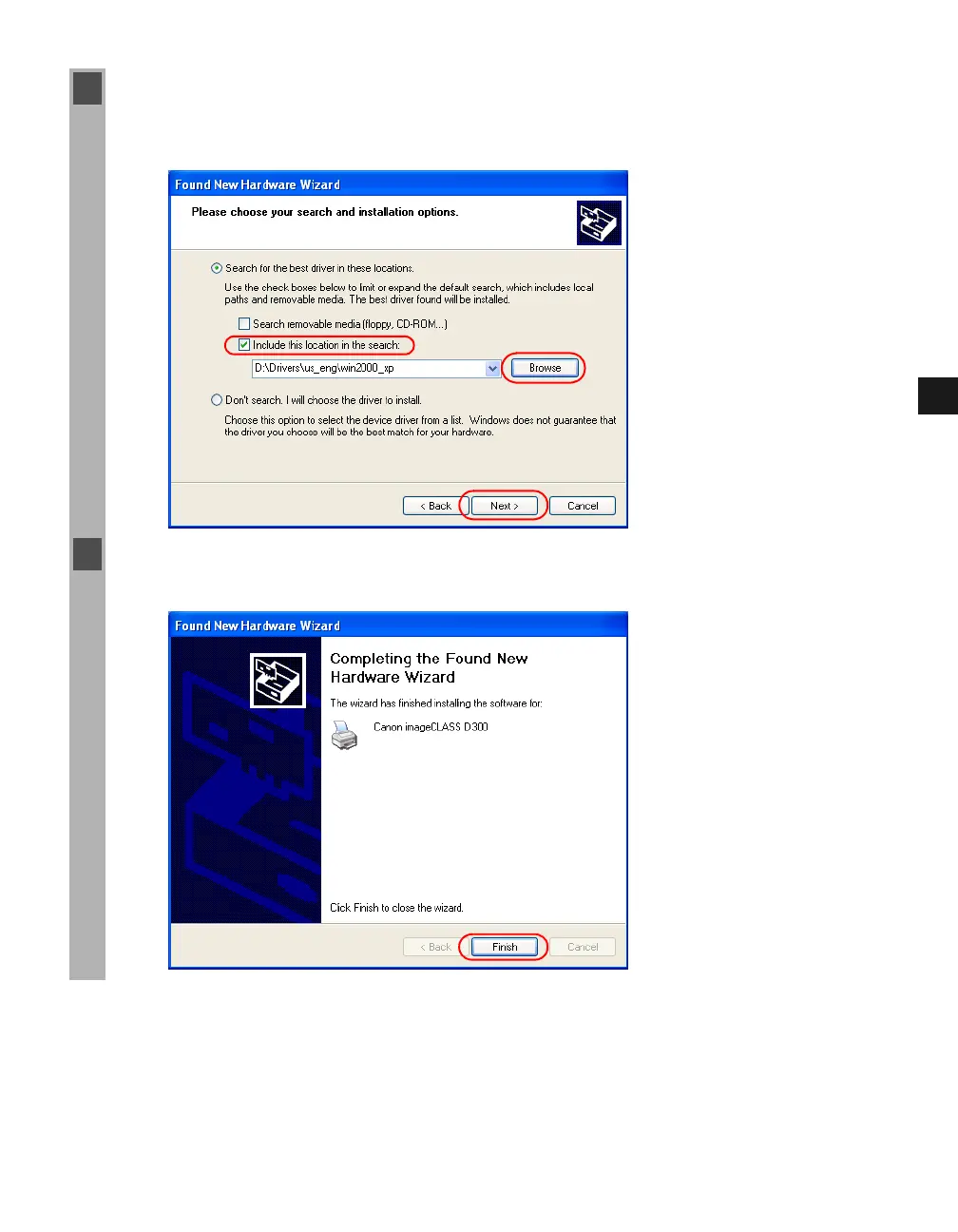
5 Select Include this location in the search click Browse to select the driver in the
language that you want to install. For example, if your CD-ROM drive is drive “D:”, browse
to “D:\Drivers\us_eng\win2000_xp” click Next.
6 When the installation is complete, the following dialog box appears. Click Finish to close
the box.














 To Next Page