3-25
3
Printer Properties
■
■■
■
Profile Tab
Profile TabProfile Tab
Profile Tab
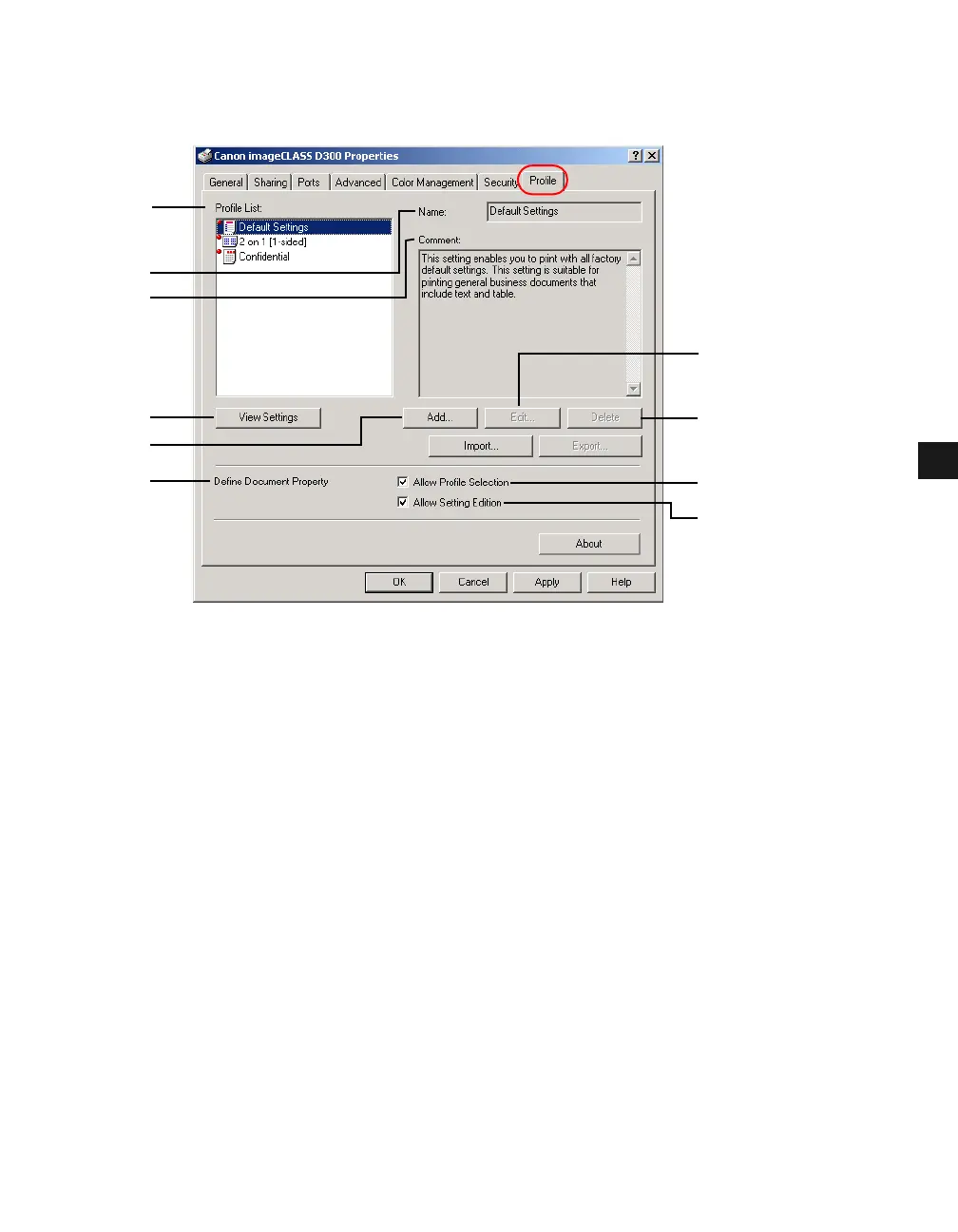
Allows you to add, edit, and select a profile to be applied to print jobs.
(1) Profile List displays the list of registered profiles.
(2) Name displays the name of the profile currently selected in Profile List (1).
(3) Comment describes the currently selected profile.
(4) View Settings displays the settings of the currently selected profile.
(5) Add opens the Add/Edit Profiles dialog box which allows you to register a new profile
( p. 3-26).
(6) Edit opens the Add/Edit Profiles dialog box which allows you to edit the registered
profiles ( p. 3-26). When any of the pre-defined profile ([Default Settings], [2 on 1 [1-
sided]], or [Confidential]) is selected in Profile List (1), this button is disabled.
(7) Delete removes the selected profile from Profile List (1). When any of the pre-defined
profiles is selected, this button is disabled.
(8) Define Document Property lets you control the profile settings. Checking Allow Profile
Selection (9) enables the selecting of profiles in the Document Properties dialog box.
Checking Allow Setting Edition (10) enables the adding and editing of profiles as well.
When Allow Profile Selection (9) is not checked, Allow Setting Edition (10) is disabled.
(6)
(9)
(1)
(2)
(3)
(4)
(5)
(8)
(7)
(10)














 To Next Page