3-26
3
Printer Properties
Add/Edit Profile
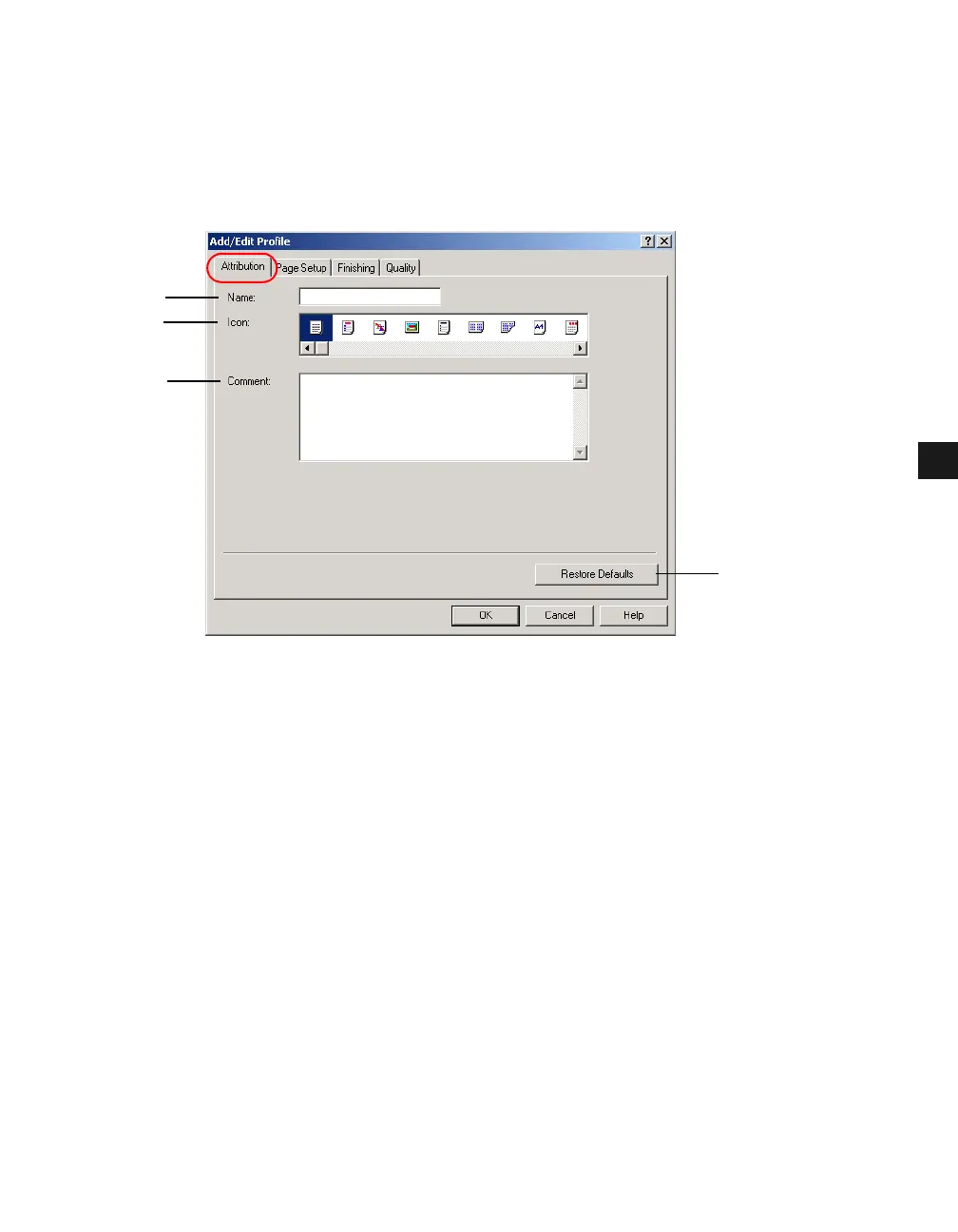
Clicking Add or Edit opens the Add/Edit Profiles dialog box which allows you to register
new profiles and edit existing profiles. This dialog box has four tab windows.
Attribution Tab
The Attribution tab window allows you to specify attributions of the profile.
(1) Name lets you name the new profile, or rename the existing profile.
(2) Icon lets you select an icon to represent the new profile, or change the icon of the existing
profile.
(3) Comment lest you add comments on the new profile, or change the comments on the
existing profile.
(4) Restore Defaults resets all the current settings to their default values.
(1)
(2)
(3)
(4)














 To Next Page