Quick Operation
Loading Paper
1
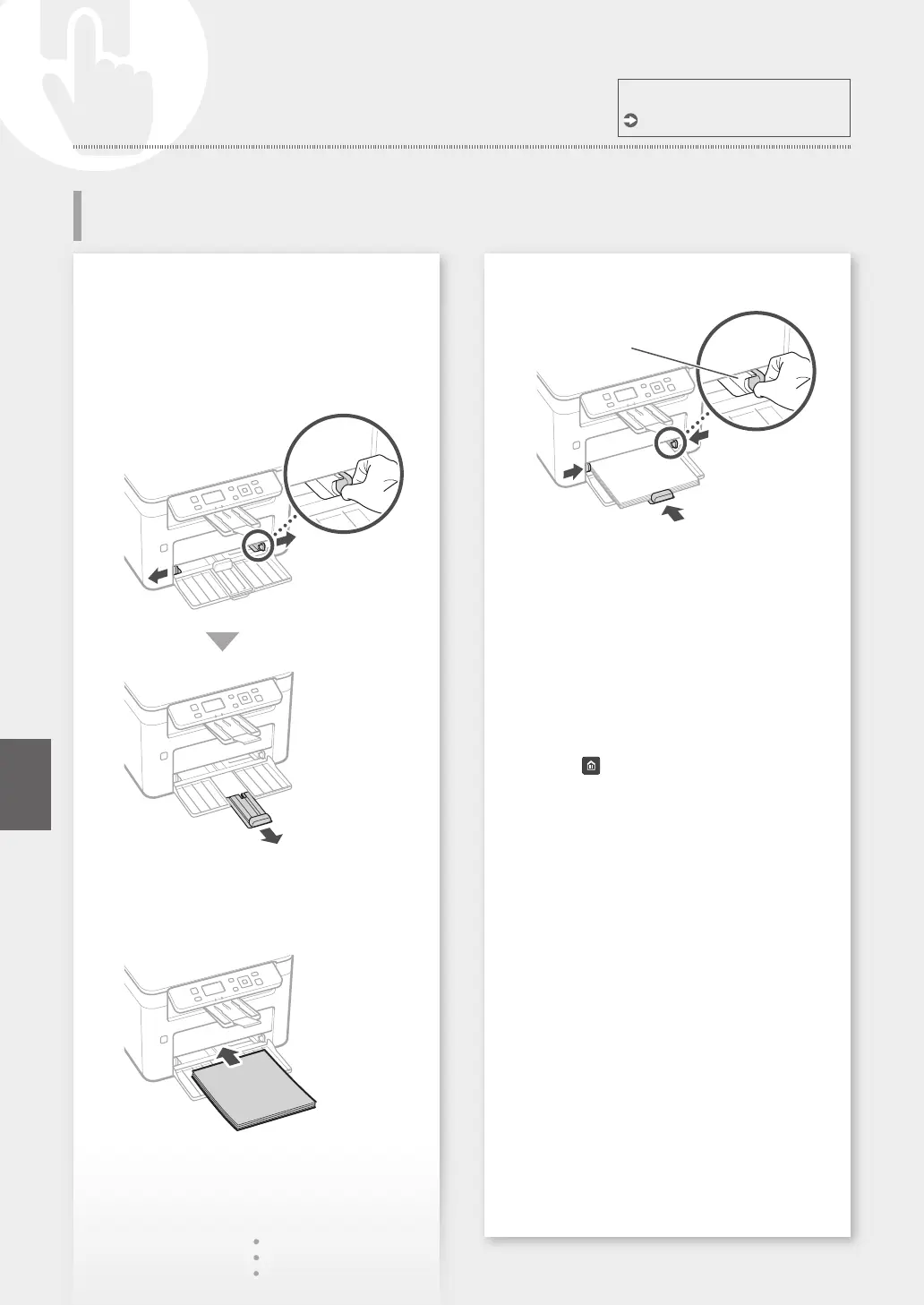
Open the drawer.
2
3
For details
"Loading Paper" in the User's Guide
Loading in the Drawer
4
Keep the paper stack
within the load limit
guides.
5
Put the paper cover on the drawer.
If you load a different size or type of paper
from the one before, make sure to change
the settings.
6
Press , and select <Paper Settings>.
7
Specify the size and type of paper,
according to the screen.
24
En









 To Next Page