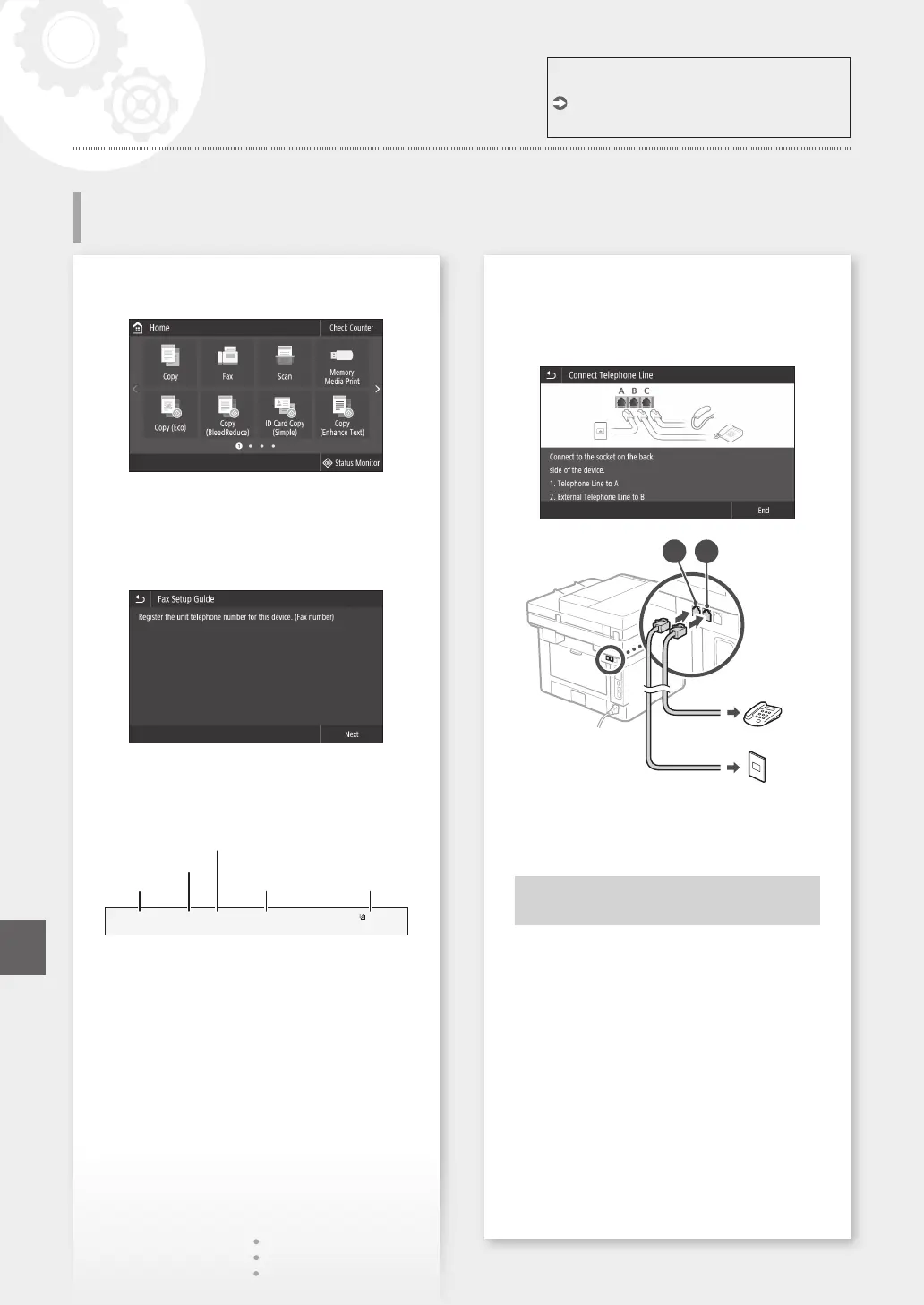
Congure the fax settings, according to the screen
below.
1.
Select <Fax>.
2.
Select <Set Up Now>.
3.
Register the machine's telephone number (fax
number) and abbreviated user name.
• The information below will be printed at
the top part of the paper output from the
destination machine as sender information.
02/02 2017 10:00AM CANON123XXXXXXXFAX 0001
Sent Time Unit Name Page Number
Number's Type
Fax Number
4.
Set the reception mode.
• Make the setting by answering the questions
on your purposes of using the fax function.
5.
Connect to a telephone line.
Telephone line jack
Telephone
A
B
6.
Select <End>.
7.
Select <Yes>.
Now you are finished
with the configuration.
For details
"Conguring Initial Settings for Fax Functions"
in the User's Guide
12
Conguring Fax Settings
Conguring the Machine
Quick Setup
En













 To Next Page