Paper drawer
•
Donotinsertyourhandintothemachine
while the paper drawer is removed, as this may
result in personal injury.
Energy Saver key
•
Press (EnergySaver)forsafetywhenthe
machine will not be used for a long period of
time,suchasovernight.Also,turnOFFthe
main power switch, and disconnect the power
cord for safety when the machine will not be
used for an extended period of time, such as
during consecutive holidays.
Laser Safety
This product is conrmed as a Class 1 laser
productinIEC60825-1:2014andEN60825-1:2014.
CLASS1LASERPRODUCT
LASERKLASSE1
APPAREILÀLASERDECLASSE1
APPARECCHIOLASERDICLASSE1
PRODUCTOLÁSERDECLASE1
APARELHOALASERDECLASSE1
LUOKAN1LASER-TUOTE
LASERPRODUKTKLASS1
The laser beam can be harmful to human bodies.
Since radiation emitted inside the product is
completely conned within protective housings
and external covers, the laser beam cannot
escape from the machine during any phase of
useroperation.Readthefollowingremarksand
instructions for safety.
•
Never open covers other than those instructed
in the manuals for this machine.
•
If the laser beam should escape and enter your
eyes, exposure may cause damage to your
eyes.
•
Use of controls, adjustments, or performance
of procedures other than those specied in
thismanualmayresultinhazardousradiation
exposure.
Laser Safety Caution
IMPORTANT
•
Follow the caution instructions on labels and
the like found on this machine.
•
Donotsubjectthemachinetostrongshocks
or vibration.
•
Donotforciblyopenandclosedoors,covers,
andotherparts.Doingsomayresultin
damage to the machine.
•
DonotturnthemainpowerswitchOFFor
open the covers while the machine is in
operation. This may result in paper jams.
•
Use a modular cable that is shorter than 3
meters.
•
Use a USB cable that is shorter than 3 meters.
•
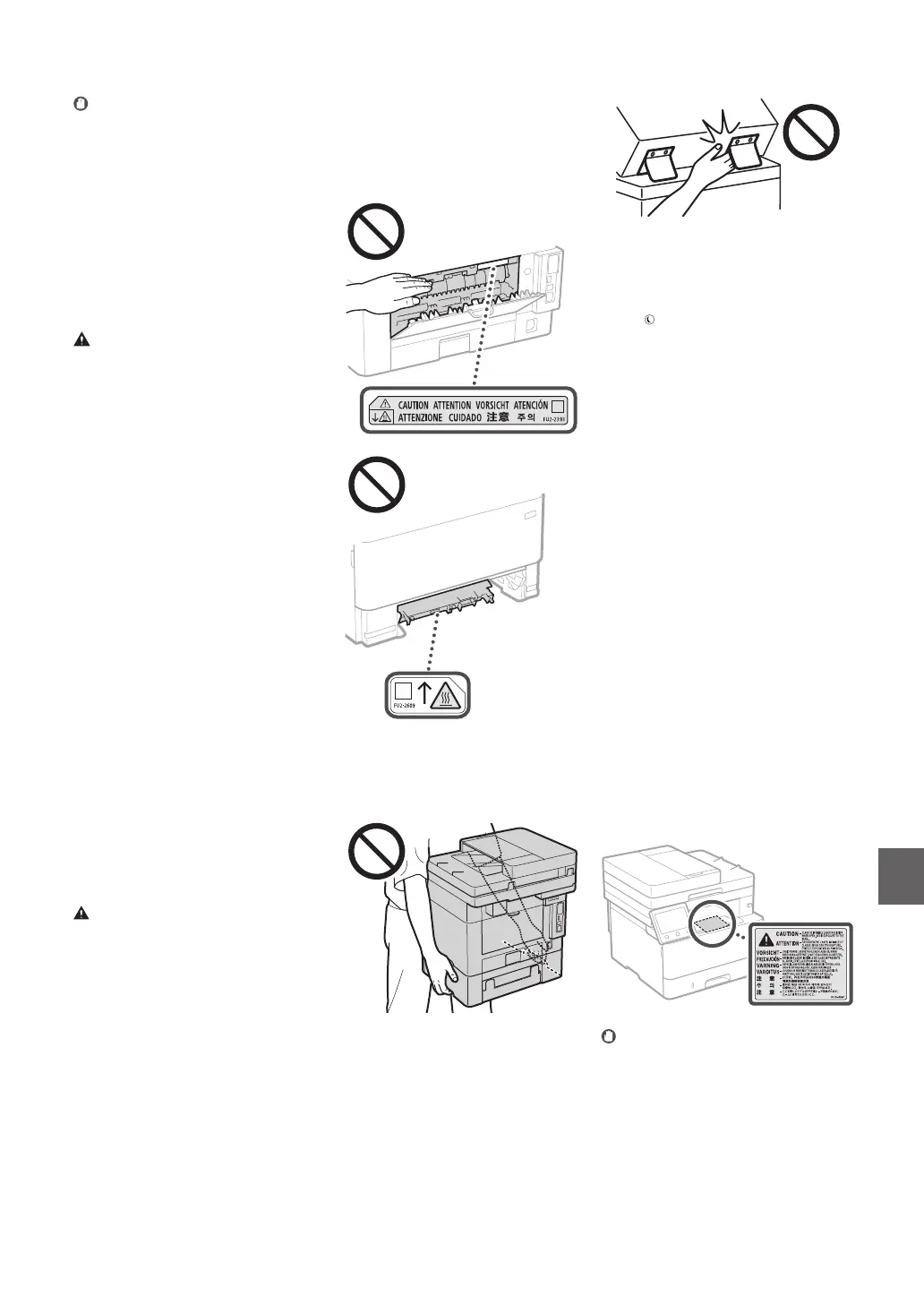
The inside of the machine and the output slot
are very hot during and immediately after use.
Avoid contact with these areas to prevent
burns. Also, printed paper may be hot
immediately after being output, so use caution
when handling it. Failure to do so may result in
burns.
•
Be careful not to drop a heavy object, such as
adictionary,ontheplatenglass.Doingsomay
damage the platen glass and result in injury.
•
Donotcarrythemachinewithanyofthe
paper drawer or optional paper feeder installed.
Otherwise,theymayfall,resultingininjury.
Feeder
•
Donotpressdownhardonthefeederwhen
using the platen glass to make copies of thick
books.Doingsomaydamagetheplatenglass
and result in personal injury.
•
Close the feeder gently to avoid catching your
hands, as this may result in personal injury.
•
Be careful not to put your hands or ngers into
thefeeder.Otherwise,youmaybeinjured.
IMPORTANT
When connecting power
•
Donotconnectthepowercordtoan
uninterruptiblepowersource.Doingsomay
result in malfunction of or damage to the
machine at power failure.
•
If you plug this machine into an AC power
outlet with multiple sockets, do not use the
remaining sockets to connect other devices.
•
Donotconnectthepowercordtotheauxiliary
AC power outlet on a computer.
Other precautions
Electricalnoisemaycausethismachineto
malfunction or lose data.
Handling
WARNING
•
Immediately unplug the power plug from the
ACpoweroutletandcontactanauthorized
Canon dealer if the machine makes an unusual
noise, emits an unusual smell, or emits smoke
or excessive heat. Continued use may result in
a re or electrical shock.
•
Donotdisassembleormodifythismachine.
There are high-voltage and high-temperature
componentsinsidethemachine.Disassembly
or modication may result in a re or electrical
shock.
•
Place the machine where children will not
come in contact with the power cord and
other cables or gears and electrical parts inside
the machine. Failure to do so may result in
unexpected accidents.
•
Donotuseammablespraysnearthis
machine. If ammable substances come into
contact with electrical parts inside this
machine, it may result in a re or electrical
shock.
•
When moving this machine, be sure to turn
OFFthepowerofthismachine,andthen
unplug the power plug and interface cables.
Failure to do so may damage the power cord
or interface cables, resulting in a re or
electrical shock.
•
When plugging or unplugging a USB cable
when the power plug is plugged into an AC
power outlet, do not touch the metal part of
the connector, as this may result in an electrical
shock.
If you are using a cardiac pacemaker
This machine generates a low level magnetic ux
and ultrasonic waves. If you use a cardiac
pacemaker and feel abnormalities, please move
away from this machine and consult your
physician immediately.
CAUTION
•
Donotplaceheavyobjectsonthismachineas
they may fall, resulting in injury.
•
For your safety, please unplug the power cord
if the machine will not be used for a long
period of time.
•
Use caution when opening and closing covers
to avoid injury to your hands.
•
Keep hands and clothing away from the rollers
in the output area. If the rollers catch your
hands or clothing, this may result in personal
injury.
En
35


 To Next Page
 Loading...









