1
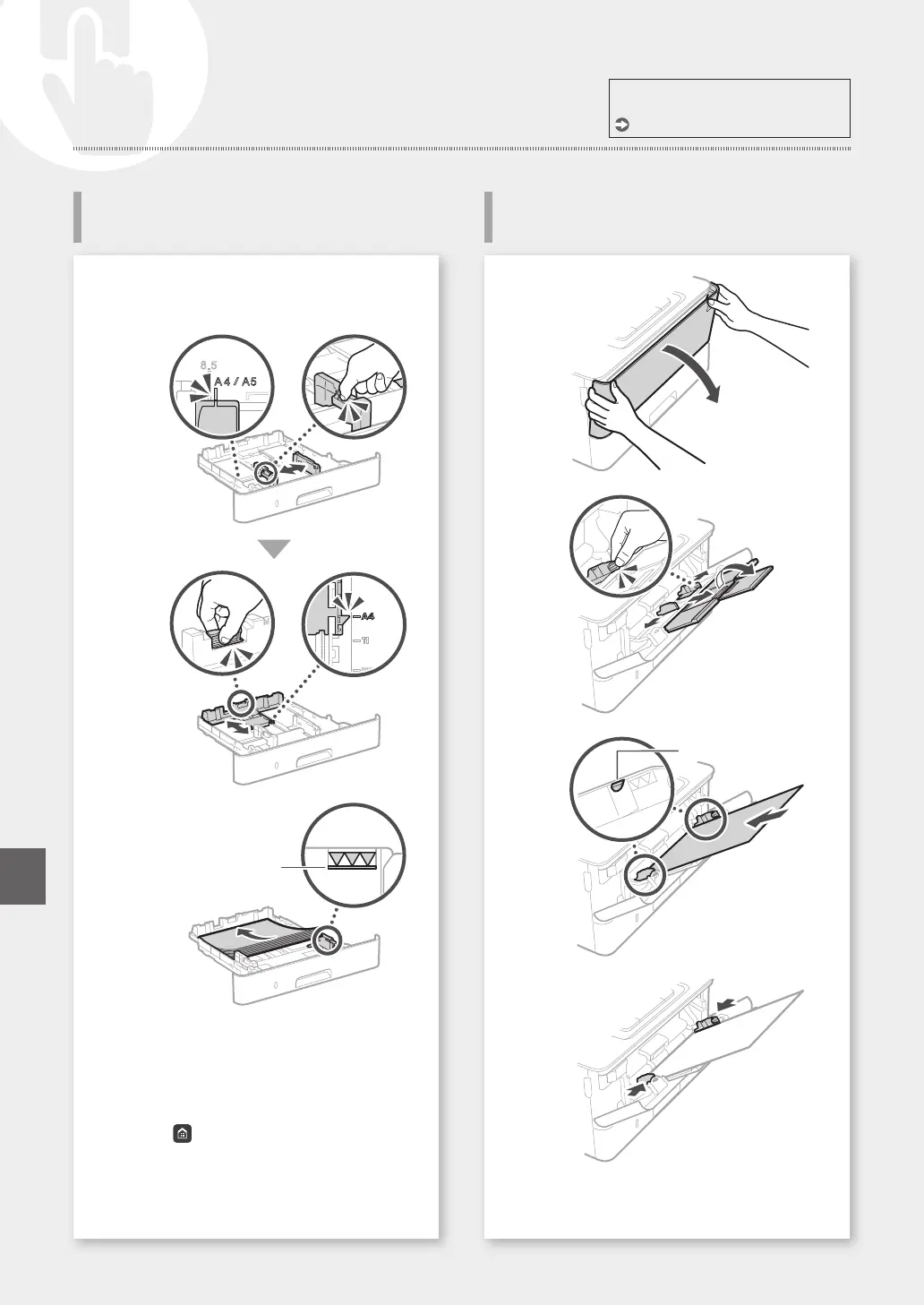
Pull out the paper drawer.
2
3
Up to here
4
Insert the paper drawer into the machine.
If you load a different size or type of paper from
the one before, make sure to change the settings.
5
Press ,andselect<PaperSettings>.
6
Specifythesizeandtypeofpaper,according
to the screen.
1
2
3
Up to here
4
5
Specifythesizeandtypeofpaper,according
to the screen.
For details
"Loading Paper" in the User's Guide
32
Loading Paper
Loading in the Multi-Purpose
Tray
Loading in the Paper Drawer
QuickOperation
En













 To Next Page