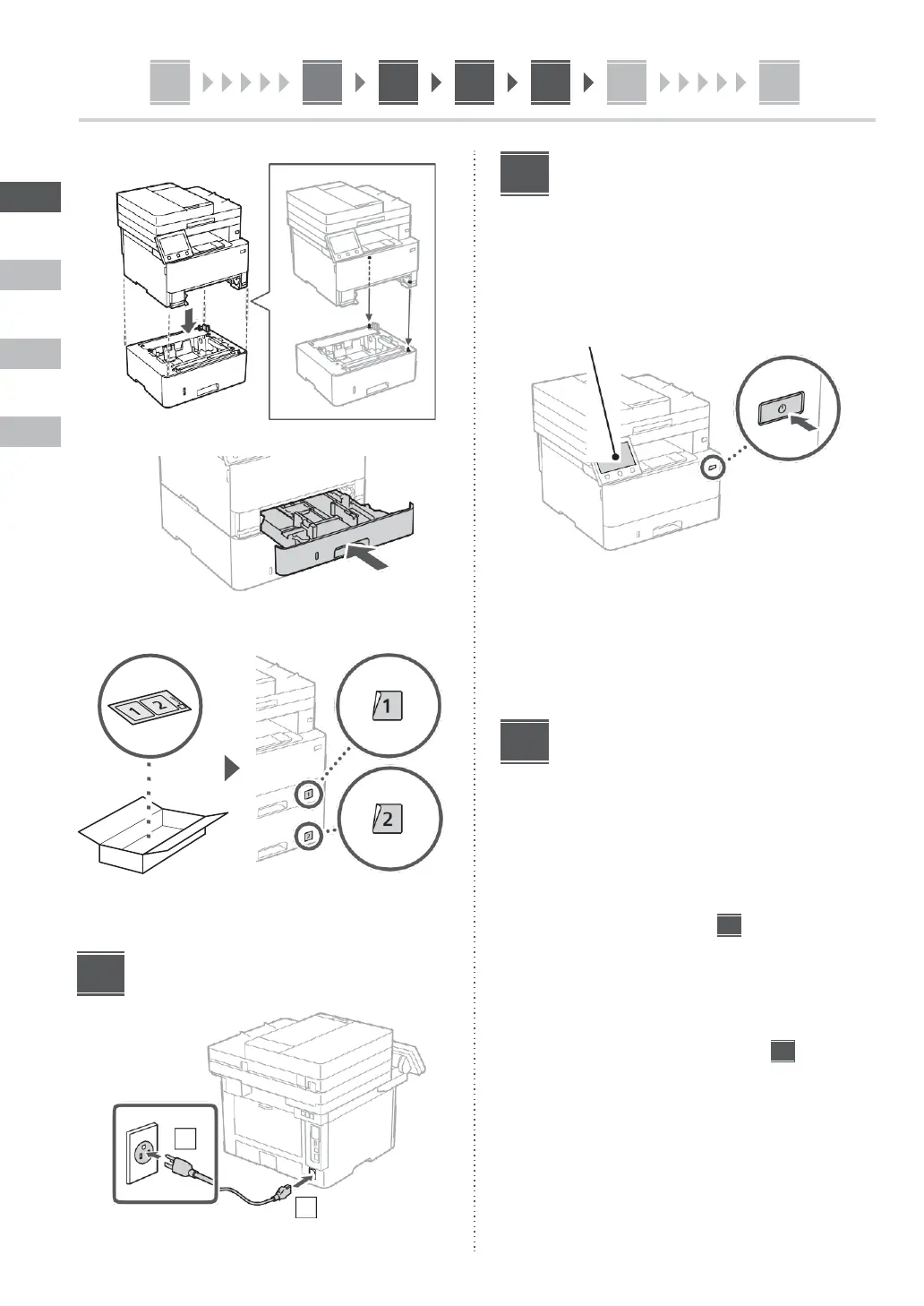
3.
Specifying
the
Basic
Settings
When you turn on the machine for the first time, the Setup
Guide starts up on the operation panel. Perform the initial
machine setup by following the on-screen instructions.
Operation
panel
4.
1.
Select
the
language,
then
the
country/
5.
region
and
finally
the
time
zone.
2.
Set the current date/time.
Specifying the Security
Settings
Specify the basic security settings to prevent unauthorized
access to the machine.
1.
To
use
the
Remote
UI,
select
<Yes>.
To continue without using the Remote UI, select
<No> and proceed to step
.
Connecting the Power Cord
2.
To use General User mode, select <Yes>.
•
Set the PIN to be used by general users to access
the Remote UI.
•
To continue without using General User mode,
select
<No>
and
proceed
to
step
.
3.
Set
the
Remote
UI
Access
PIN.
•
Enter any number and then select <Apply>.
•
Re-enter the same PIN on the next screen as
confirmation and select <Apply>.













 To Next Page