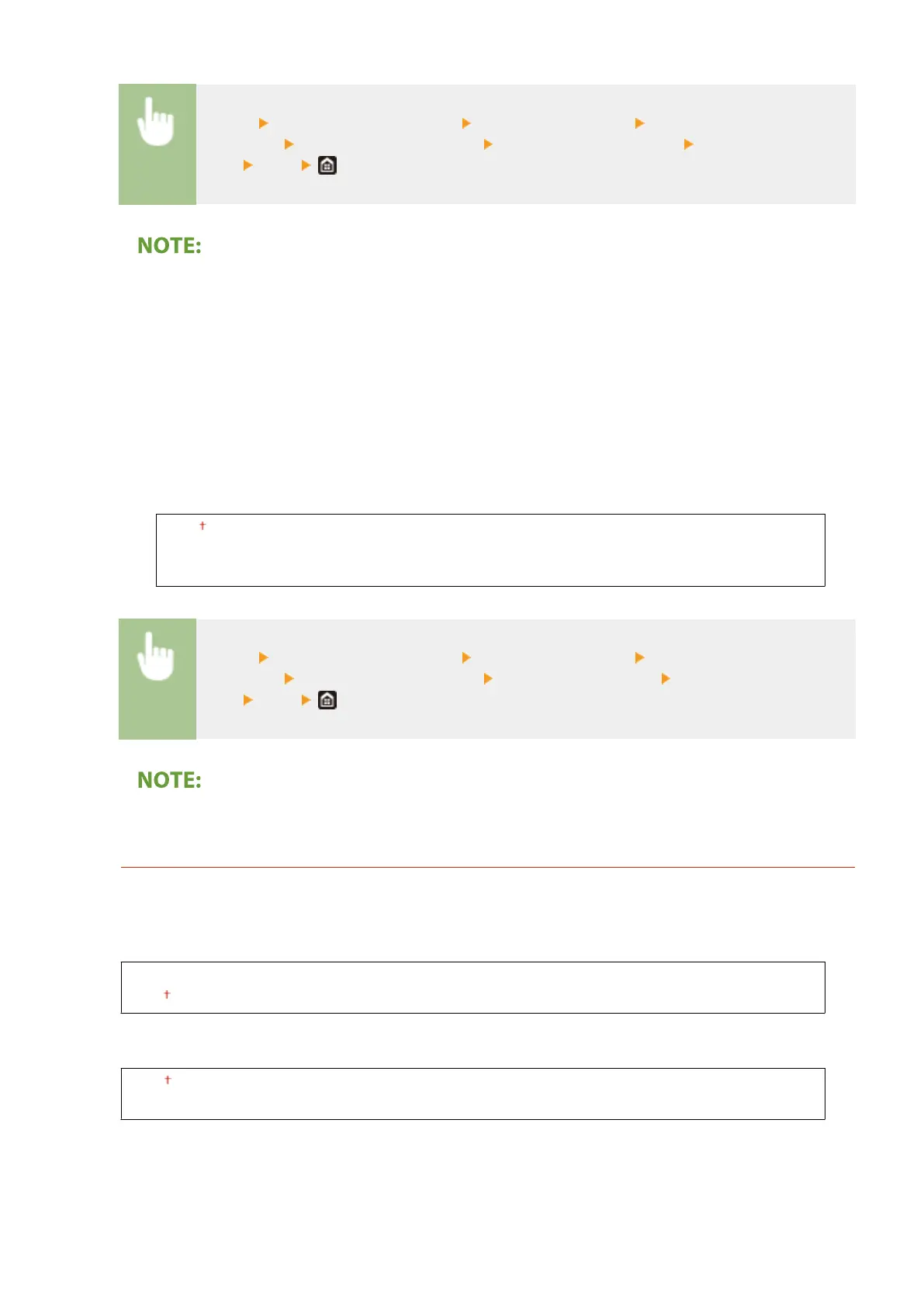
<Menu> <Adjustment/Maintenance> <Adjust Image Quality> <Special
Processing> <Special Paper Processing> <Paper Wrinkle Correction> Select the
mode <Yes>
MF735Cdw / MF733Cdw / MF731Cdw
● This setting is effective for plain paper and thin paper.
● Setting a greater improvement effect may result in faded printouts or slower printing speed.
MF634Cdw / MF632Cdw
● <Mode 1> is effective for envelopes, and <Mode 2>, for envelopes and thin paper.
● When <Mode 1> or <Mode 2> is specied, printed images may be blurry.
<Paper Curl Correction>
If the printed paper curls, set this item. The improvement effect is stronger with <Mode 2> than with <Mode
1>. First try with <Mode 1>.
<Off>
<Mode 1>
<Mode 2>
<Menu> <Adjustment/Maintenance> <Adjust Image Quality> <Special
Processing> <Special Paper Processing> <Paper Curl Correction> Select the
mode <Yes>
● Setting a greater improvement effect may result in faded printouts or slower printing speed.
<Reduce Ppr. Sticking at Output>
When performing 2-sided printing in color, paper may stick together at the output. Setting to <On> will slow
down the printing speed of prints that may easily stick together, to reduce sticking.
MF735Cdw / MF733Cdw / MF731Cdw
<Off>
<On>
MF634Cdw / MF632Cdw
<Off>
<On>
Setting Menu List
474









 To Next Page