1
2
3
4
5
6
7
8
9
10
11
Back
Next
Previous
TOP
ii
Before Using the
Machine
Document and Paper
Copying
Sending and Receiving (MF6595cx/
MF6595/MF6590 Only)
Printing and
Scanning
Network (MF6595cx/MF6595/
MF6590/MF6540 Only)
Remote UI (MF6595cx/MF6595/
MF6590/MF6540 Only)
System Settings
Maintenance
Troubleshooting
Appendix
Table of Contents
Index
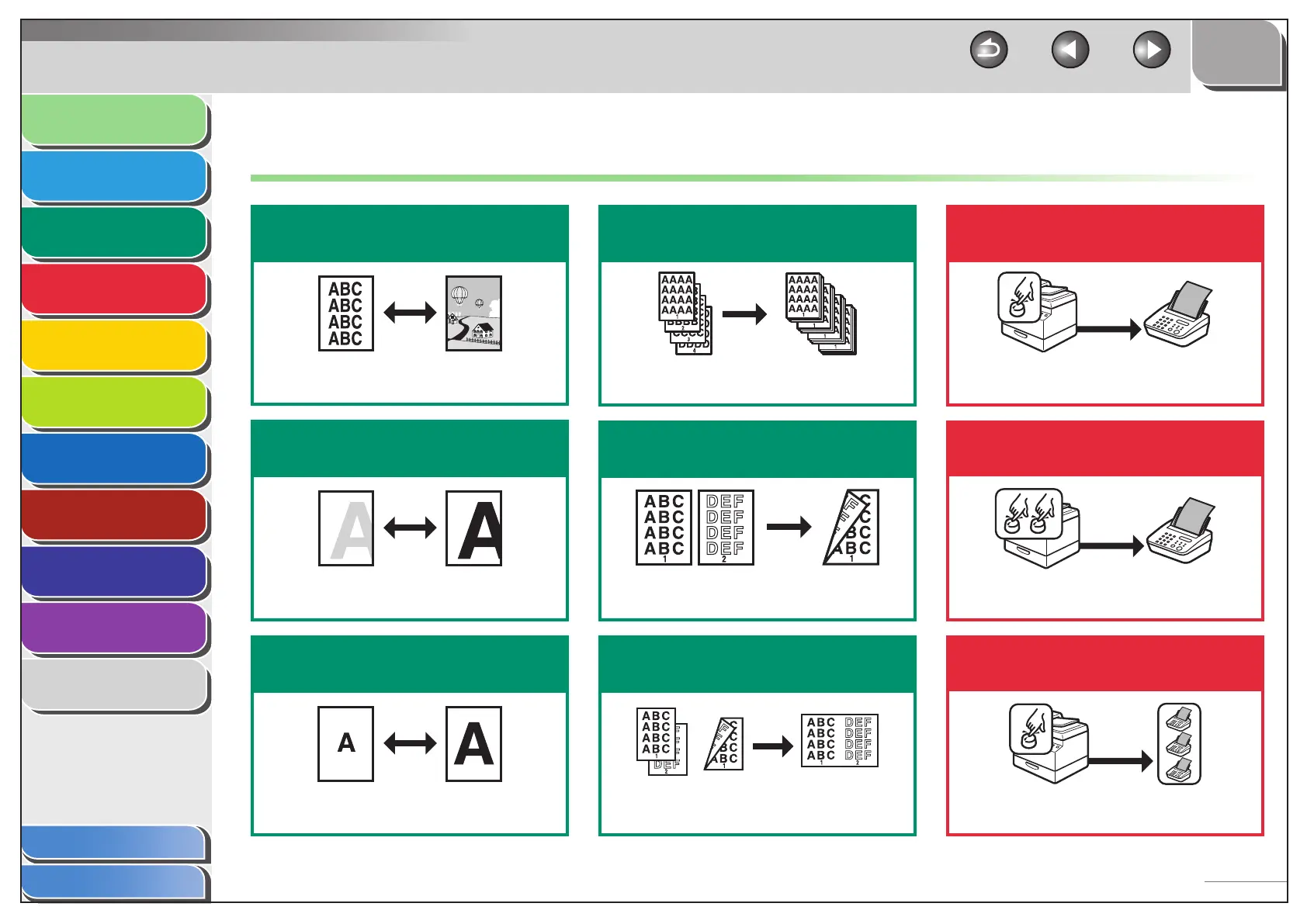
Things You Can Do
Select a scan mode depending on
the type of image
Image Quality
p. 3-3
Adjust the density level of scanned
images
Density
p. 3-3
Enlarge or reduce copied images
Zoom Ratio
p. 3-4
Sort copies by page order
Collate Copy
p. 3-6
Make two-sided copies
Two-Sided Copy
p. 3-8
Copy two documents on one sheet
2 on 1 Combination
p. 3-7
Specify a recipient with a single
key
One-Touch Speed Dialing Keys
p. 4-13
Specify a recipient with a two-digit
code
Coded Speed Dialing Codes
p. 4-13
Specify multiple recipients as a
group
Group Dialing
p. 4-13



 To Next Page