3
Preparing to Transfer the Printer
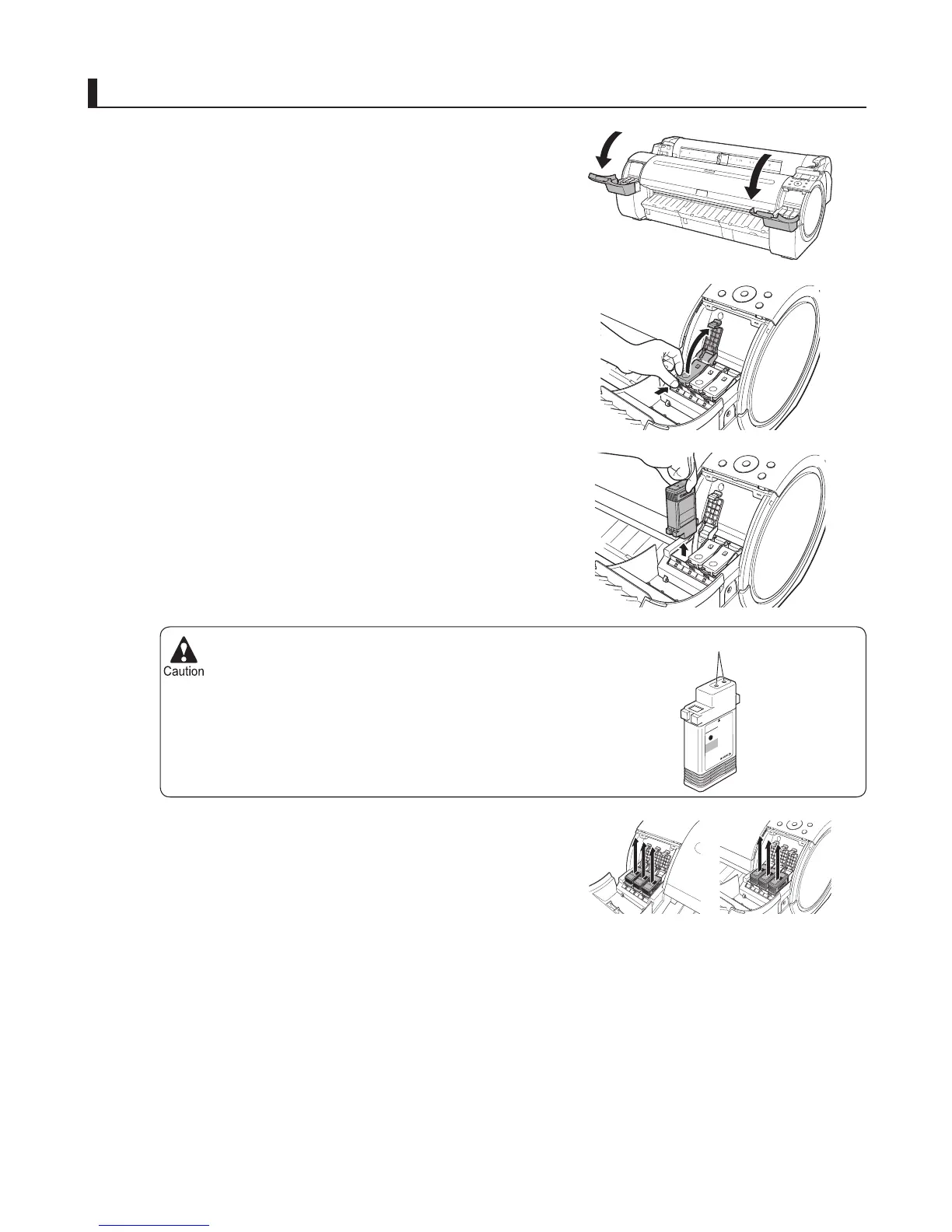
Store the ink tanks you removed with the ink holes (a)
facing up. Otherwise, ink may leak and cause stains.
•
1
2
3
4
Open the Ink Tank Cover .
Pressing the tip of the Ink Tank Lock Lever horizontally,
lift the Ink Tank Lock Lever to release the lock.
Holding the ink tanks by the grips, remove them.
Remove the ink tanks
Repeat steps 2 and 3 to remove all ink tanks.
a












 To Next Page