System Management of the imageRUNNER 6570/5570/5070
IV
✂ ✂ ✂ ✂ ✂ ✂
3
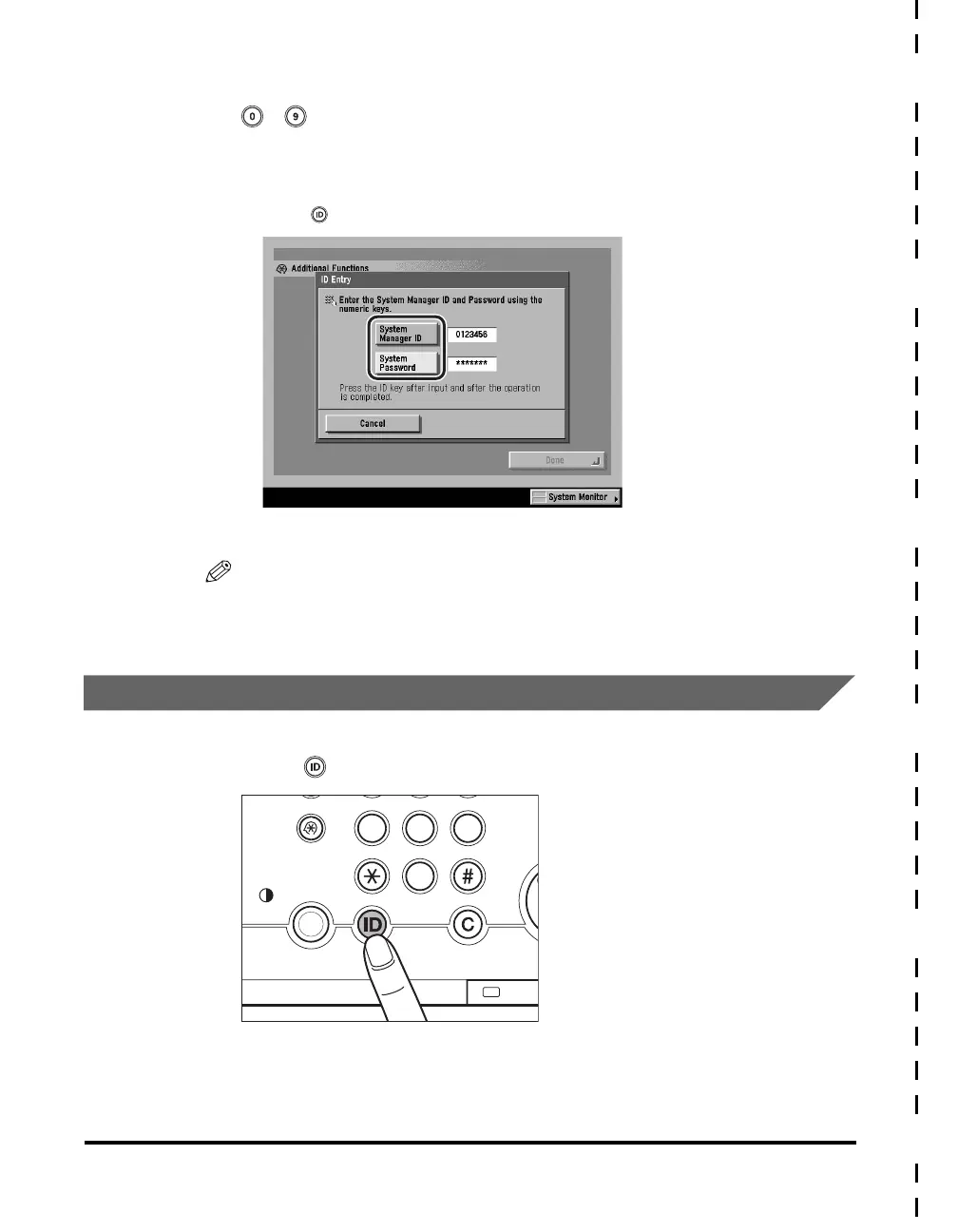
Enter the System Manager ID and System Password using
- (numeric keys).
❑ Press [System Manager ID] ➞ enter the System Manager ID.
❑ Press [System Password] ➞ enter the System Password.
❑ Press (ID).
The System Management mode is enabled.
NOTE
Make sure to enter the System Manager ID and System Password that were stored
in System Manager Settings in System Settings (from the Additional Functions
screen). (See "Specifying the System Manager Settings," on p. 7-3.)
Canceling the System Management Mode
1
Press (ID).
The System Management mode is canceled. The System Management mode is
also canceled when the Auto Clear mode initiates.
PQRS
TUV
WXYZ
Processing/Data
Clear
Sta
Display Contrast
Additional Functions
7
89
0





 To Next Page