8 Canon imageRUNNER Knowledge Module for PATROL
Performing Printer Tasks 0
As needed, perform a number of tasks for a managed printer. Among
these printer tasks, if available, enable the display of general or discovery-
specific debug messages in the System Output Window, if advised by
Technical Support to troubleshoot a problem.
To display the copyright and version for Canon KM:
On the Desktop tab, right-click the specific printer. Click KM Commands,
and then click About.
To reboot a printer:
On the Desktop tab, right-click the specific printer. Click KM Commands,
and then click Reboot.
To refresh the printer parameters:
On the Desktop tab, right-click the specific printer. Click KM Commands,
and then click Refresh Parameters.
To print a test page:
On the Desktop tab, right-click the specific printer. Click KM Commands,
and then click Test Print.
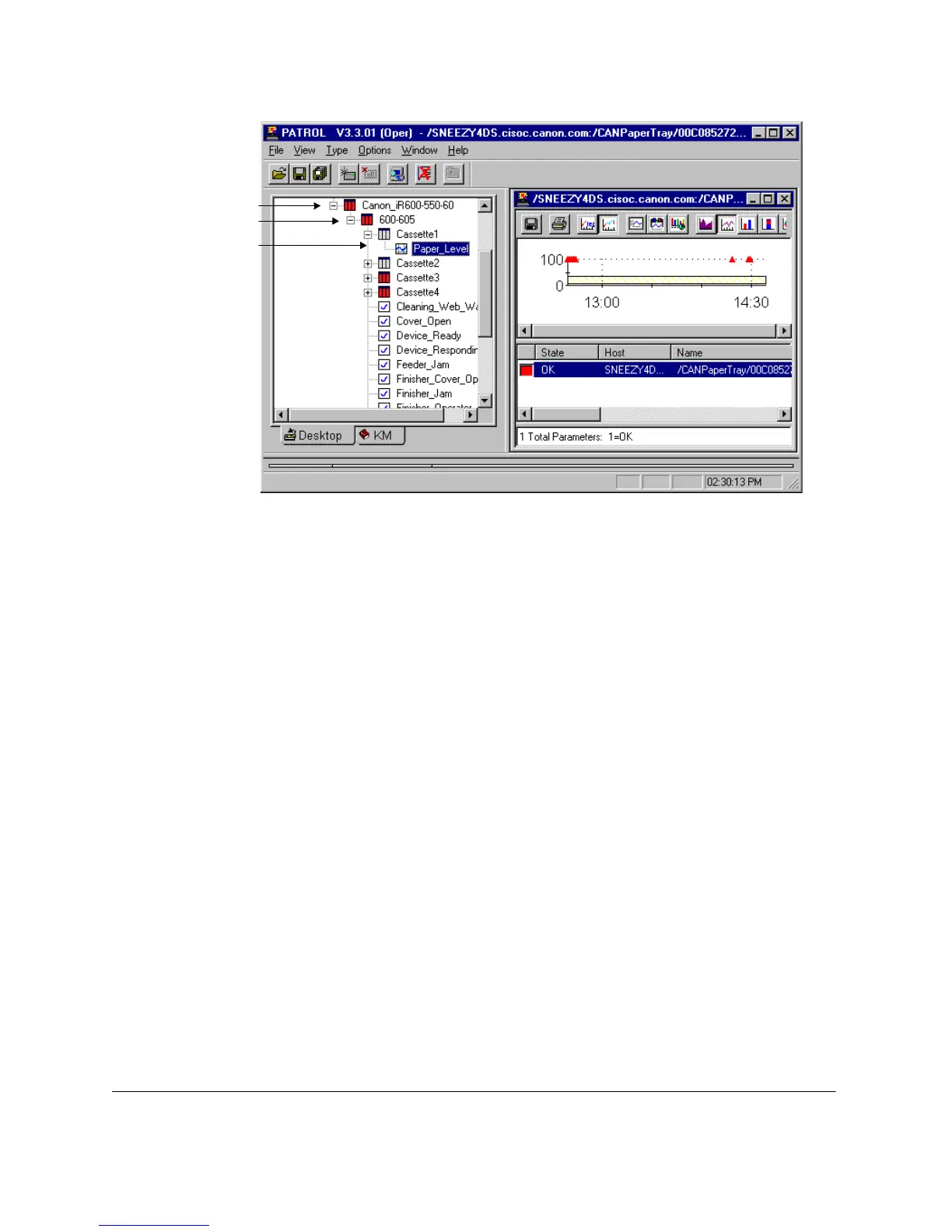
Printer Class
Printer Within a Class
Printer Feature
and Status
guide.book Page 8 Friday, January 25, 2002 4:01 PM



 To Next Page