Canon imageRUNNER Knowledge Module for PATROL 7
To remove the Canon KM software:
Use Add/Remove Programs in the Windows Control Panel to remove
Canon imageRUNNER Knowledge Module for PATROL.
Alternatively, you can run setup.exe on your installation disk. When
prompted, click to uninstall or remove the software.
Monitoring Your Printer Status 0
With the Canon KM software and Canon printer knowledge module
installed and loaded properly, use the PATROL Operator Console to view
and monitor the status of your Canon printer.
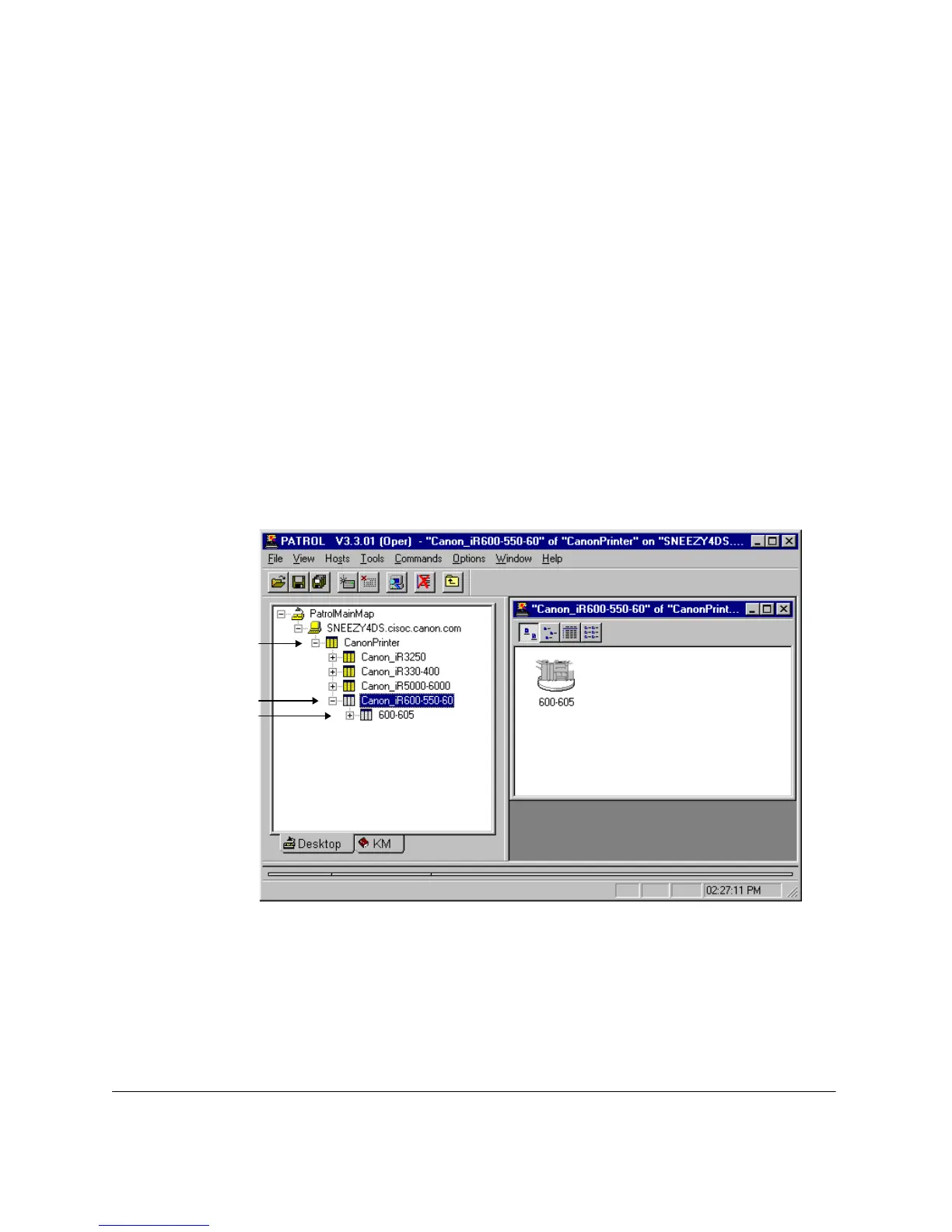
Using a tree structure, the Desktop tab displays the available Canon
printer classes and the respective printers for each class.
For each available printer, you can view and monitor the printer features
and the respective status for each feature.
Printer Within a Class
Canon Printer
Knowledge Module
Printer Class
guide.book Page 7 Friday, January 25, 2002 4:01 PM





 To Next Page