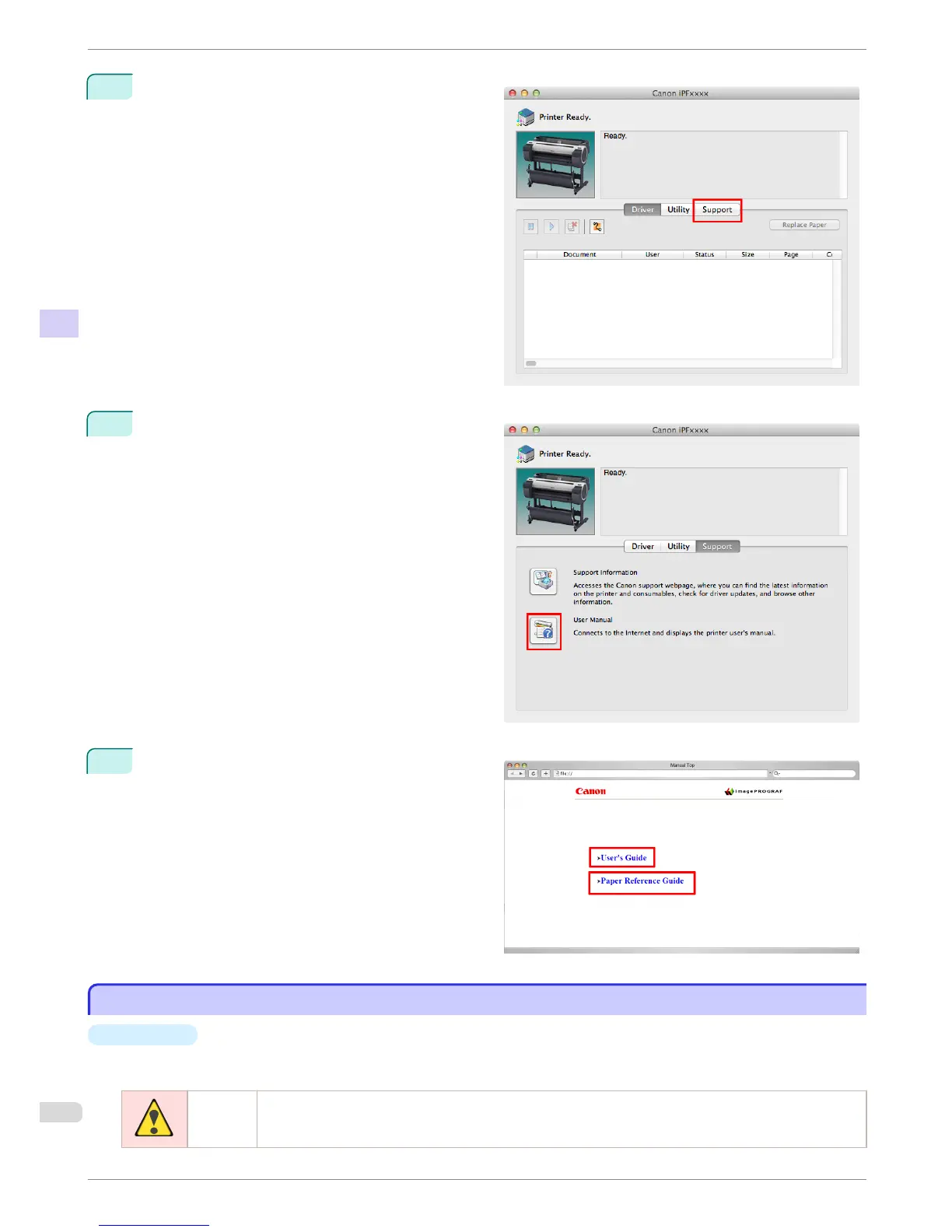
7
Click Support.
8
Click the User Manual button.
9
To display User's Guide, click User's Guide.
Alternately, to display Paper Reference Guide, click
Paper Reference Guide.
About This User Manual
About This User Manual
•
Symbols
The following symbols are used in this user manual to indicate safety information and explanations on restric-
tions or precautions in use.
Warning Indicates warning items for which operating error poses a risk of death or serious injury. To ensure safe
use, always follow these warnings.
About This User Manual
iPF680 Series
Basic Guide
Preface Manuals for this printer
10




 To Next Page