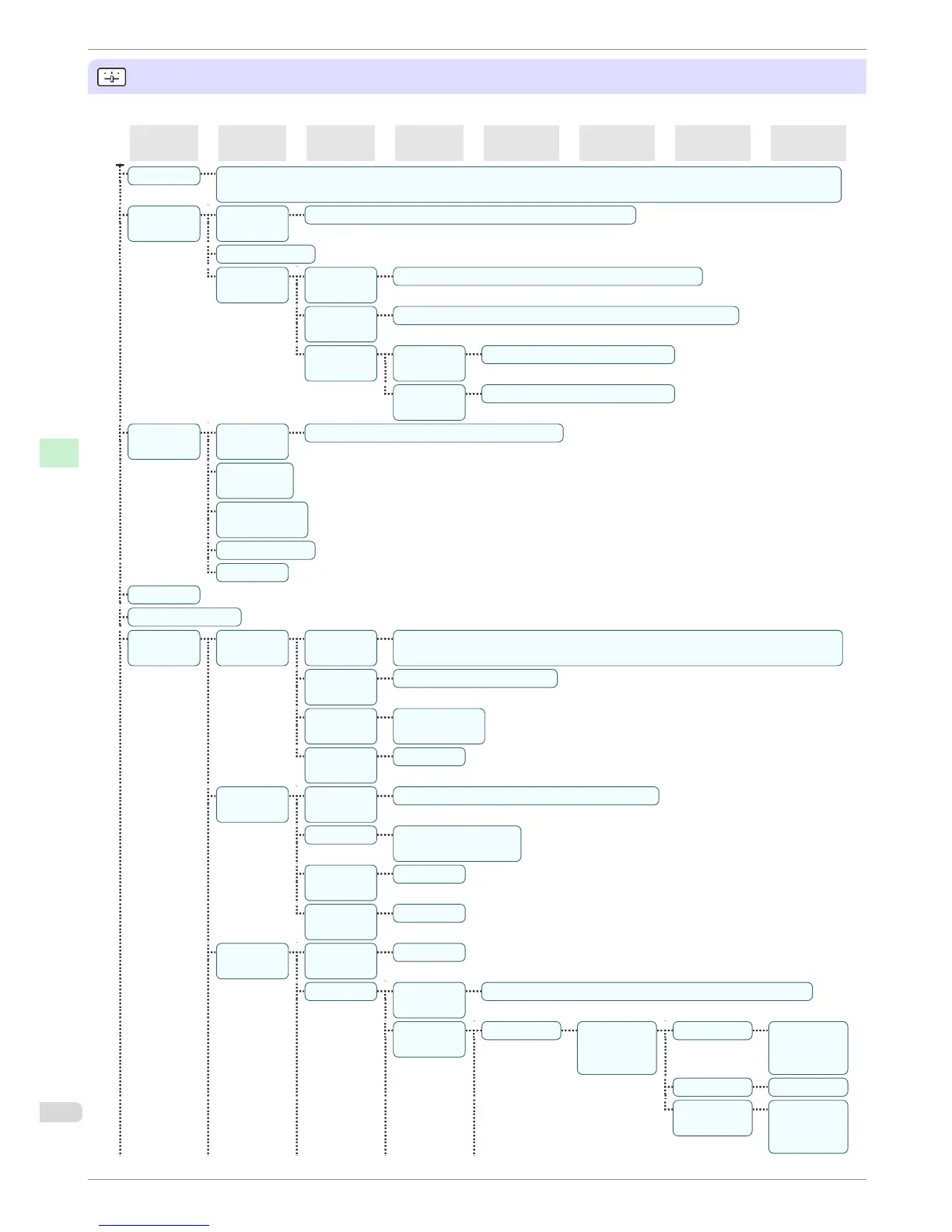
Set./Adj. Menu
Limited items are displayed during printing. The displayed items are indicated by annotations.
First Level
Second Lev-
el
Third Level Fourth Level Fifth Level Sixth Level Seventh Level Eighth Level
Test Print Nozzle Check | Status Print | Interface Print | GL2 Set Print | Paper Details | Print Job Log | Menu Map | Color
Palette
Adjust
Printer
Head Posi.
Adj.
Auto(Standard) | Auto(Advanced) | Manual(*1)
Head Inc. Adj.
Feed Prior-
ity
Adj. Priori-
ty
Automatic* | Print Quality | Print Length
Adj. Quali-
ty(*2)
Auto(GenuinePpr) | Auto(OtherPaper) | Manual
Adjust
Length(*3)
Adjust-
mentPrint
A:High | B:Standard/Draft
Change
Settings
A:High | B:Standard/Draft
Mainte-
nance
Head
Cleaning
Head Cleaning A | Head Cleaning B
Nozzle
Check
Replace
P.head
Repl. maint cart
Head Info
GL2 Replot
GL2 BufferClear
GL2 Set-
tings
Quality
Manager
Color
Mode
Monochrome | Color (CAD) 1* | Color (CAD) 2 | Color (CAD) 3 | Color (CAD) 4
| Color (CAD) 5
Print Quali-
ty
Fast | Standard* | High
Input Res-
olution
600dpi* |
300dpi
Print
(Economy)
Off* | On
Paper
Manager
Paper
Source
Automatic* | Roll Paper | Cut Sheet
Margin 3mm(Standard)* |
5mm
Conserve
Paper
Off* | On
Auto Ro-
tate
Off* | On
Line & Pen
Manager
Enable
merge
Off* | On
Pen Setup Select Pa-
lette
Software* | Palette A | Palette B | Factory
Define Pa-
lette
Palette A (Select the
pen num-
ber)
Width (Indicates
the value of
Width )
Color 0~255
Line Attrib-
utes
No Setting |
Circle Set-
ting
Menu Structure
iPF680 Series
Basic Guide
Printer Parts Operations and Display Screen
52














 To Next Page