Large-Format Printing
Large-Format Printing
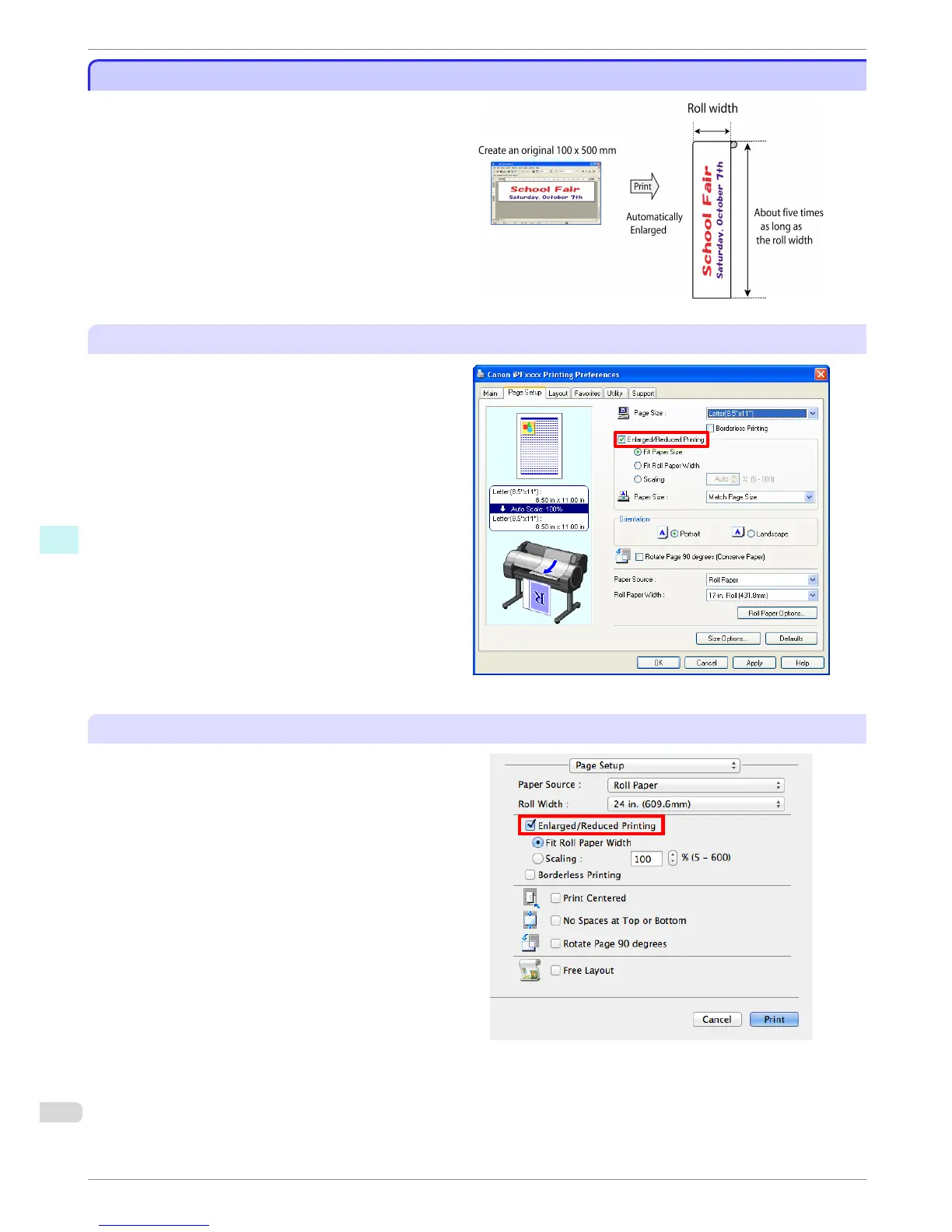
You can create vertical or horizontal banners by print-
ing originals in banner formats on rolls.
Originals created in Microsoft Word or other applica-
tions in your preferred size can be enlarged to fill the
width of roll paper by completing simple printer driver
settings.
The printer supports roll printing up to a maximum
length of 18.0 m (19.7 yd).
Configuring Settings in Windows
1. Access the Page Setup sheet.
2. Click Size Options and register the original size.
3. Select the Enlarged/Reduced Printing check box.
4. After you click Fit Roll Paper Width, the Informa-
tion dialog box is displayed.
5. Click the width of the loaded roll in the Roll Paper
Width list, and then click OK.
Configuring Settings in Mac OS
1. Access the Page Setup pane.
2. Click the width of the loaded roll in the Roll Width
list.
3. Select the Enlarged/Reduced Printing check box.
4. Click Fit Roll Paper Width.
Large-Format Printing
iPF680 Series
Basic Guide
Software Installation Convenient Printer Driver Features
76














 To Next Page