3
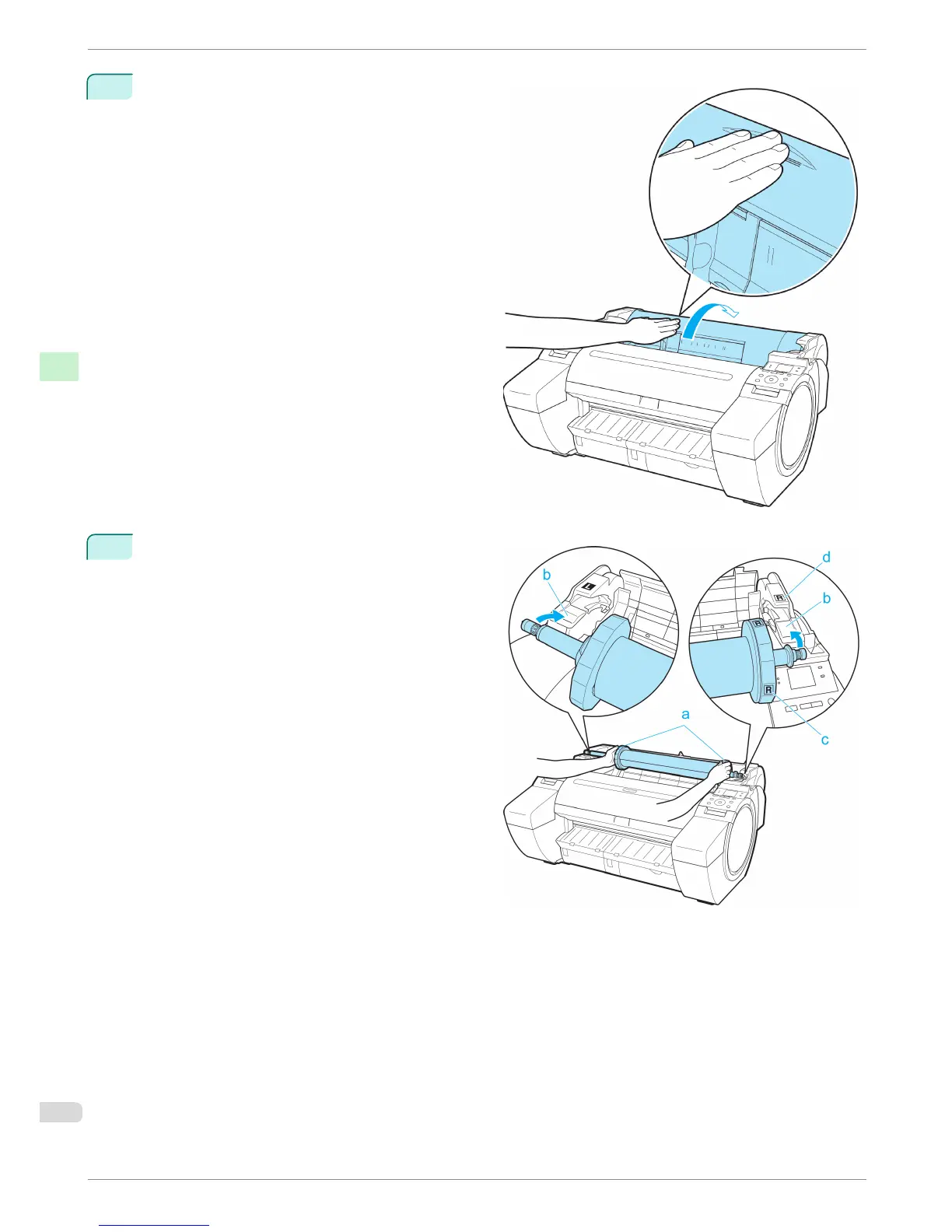
Positioning your hands as shown, open the Roll
Cover.
4
Holding the Roll Holder flange (a), rest the Roll
Holder shaft on the Roll Ledge (b).
At this time, position the holder so that the R label
(c) on the [W label (c) on the Roll Holder flange is
aligned with the R label (d) on the printer .
Loading Rolls in the Printer
iPF680 Series
Basic Guide
Handling Paper Handling rolls
16














 To Next Page