3
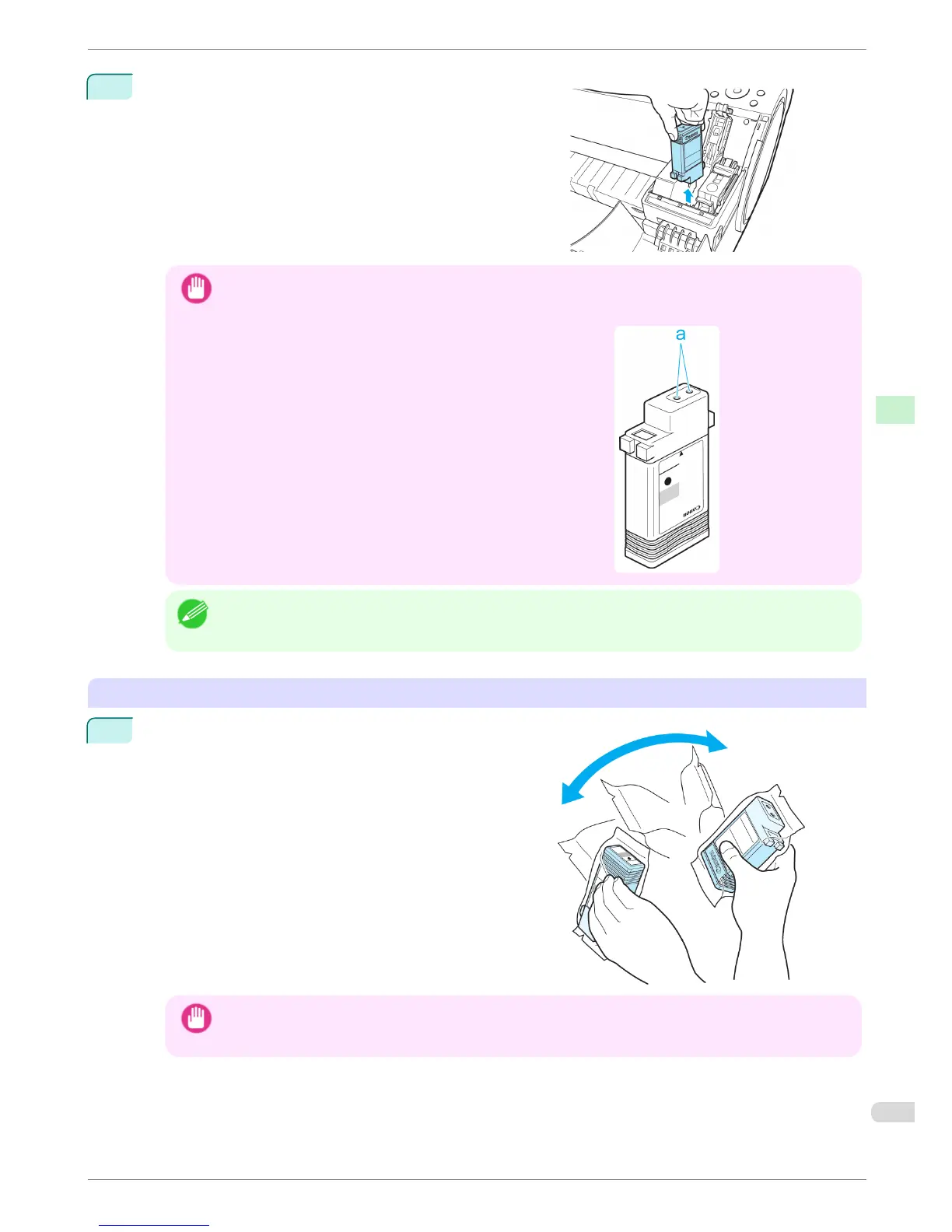
Hold the Ink Tank by the grips and remove it. Press the OK
button.
Important
• Do not turn off the printer while the Ink Tank is removed.
It may cause the interior of the Ink Tank Cover to become soiled.
•
If there is still ink in the Ink Tank you removed, store it with the
ink holes (a) facing up. Otherwise, ink may leak and cause
stains. Put the Ink Tank in a plastic bag and seal it.
Note
• Dispose of used ink tanks according to local regulations.
Installing Ink Tanks
1
Before opening the pouch, gently agitate the Ink Tank once
or twice. Agitate the ink in the Ink Tank by slowly rotating
the Ink Tank upside-down and right side up repeatedly.
Important
• After installing an ink tank, do not remove and shake it. Doing so may cause the ink to leak out.
• If you do not agitate the Ink Tank, the ink may settle, which may affect printing quality.
iPF680 Series
Replacing Ink Tanks
Basic Guide
Consumables and Maintenance Ink Tanks
27


 To Next Page
 Loading...









