Roll Cover (Inside)
Roll Cover (Inside)
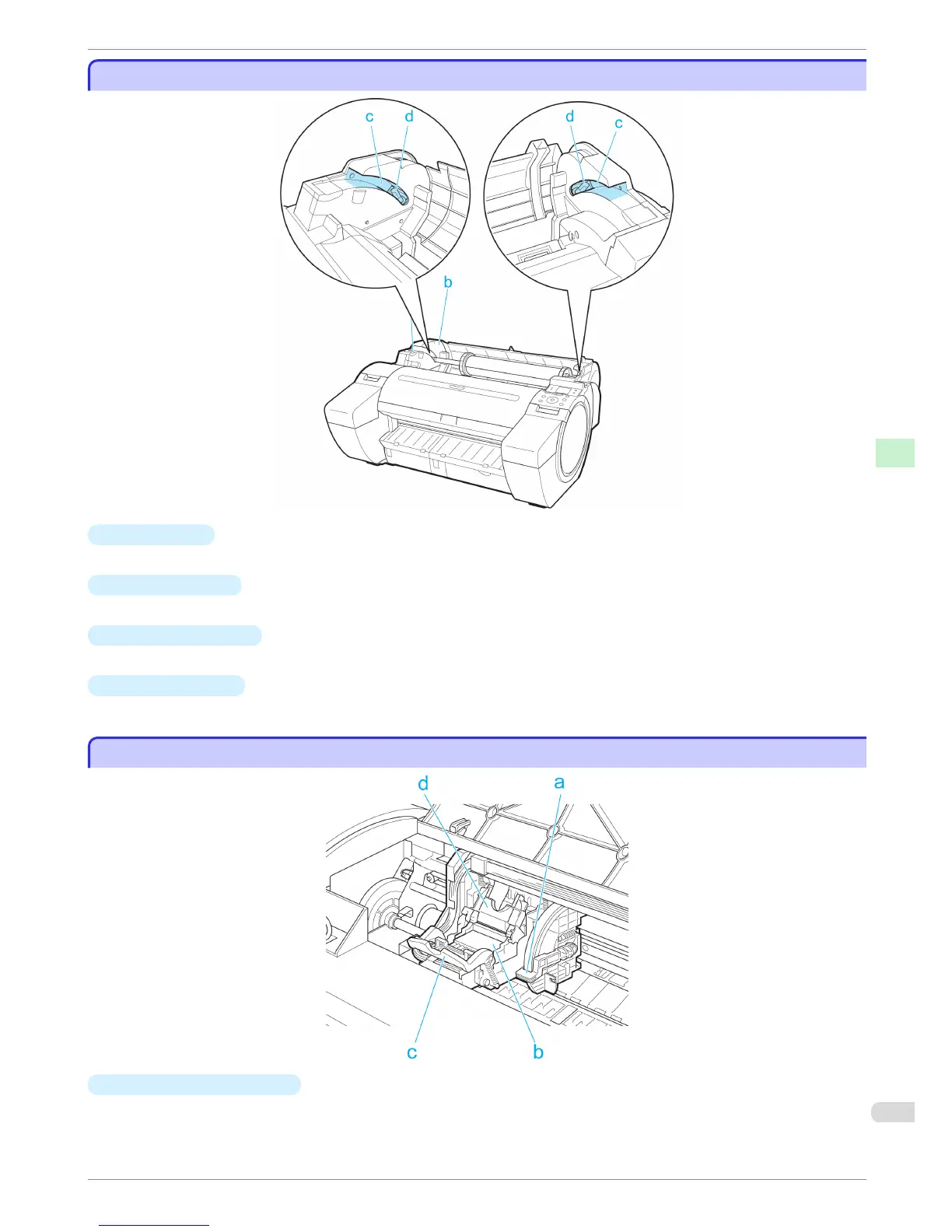
a
Roll Holder
Load the roll on this holder.
b
Holder Stopper
Secure rolls on the Roll Holder with this part.
c
Roll Loading Slots
Slide the Roll Holder along these slots.
d
Roll Holder Slot
Load the Roll Holder into this holder slot.
Carriage
Carriage
a
Angle Adjustment Lever
Use this lever to fine-tune the printer to correct misalignment of printed lines.
iPF680 Series
Roll Cover (Inside)
Basic Guide
Printer Parts Printer parts
59


 To Next Page
 Loading...









