Important
•
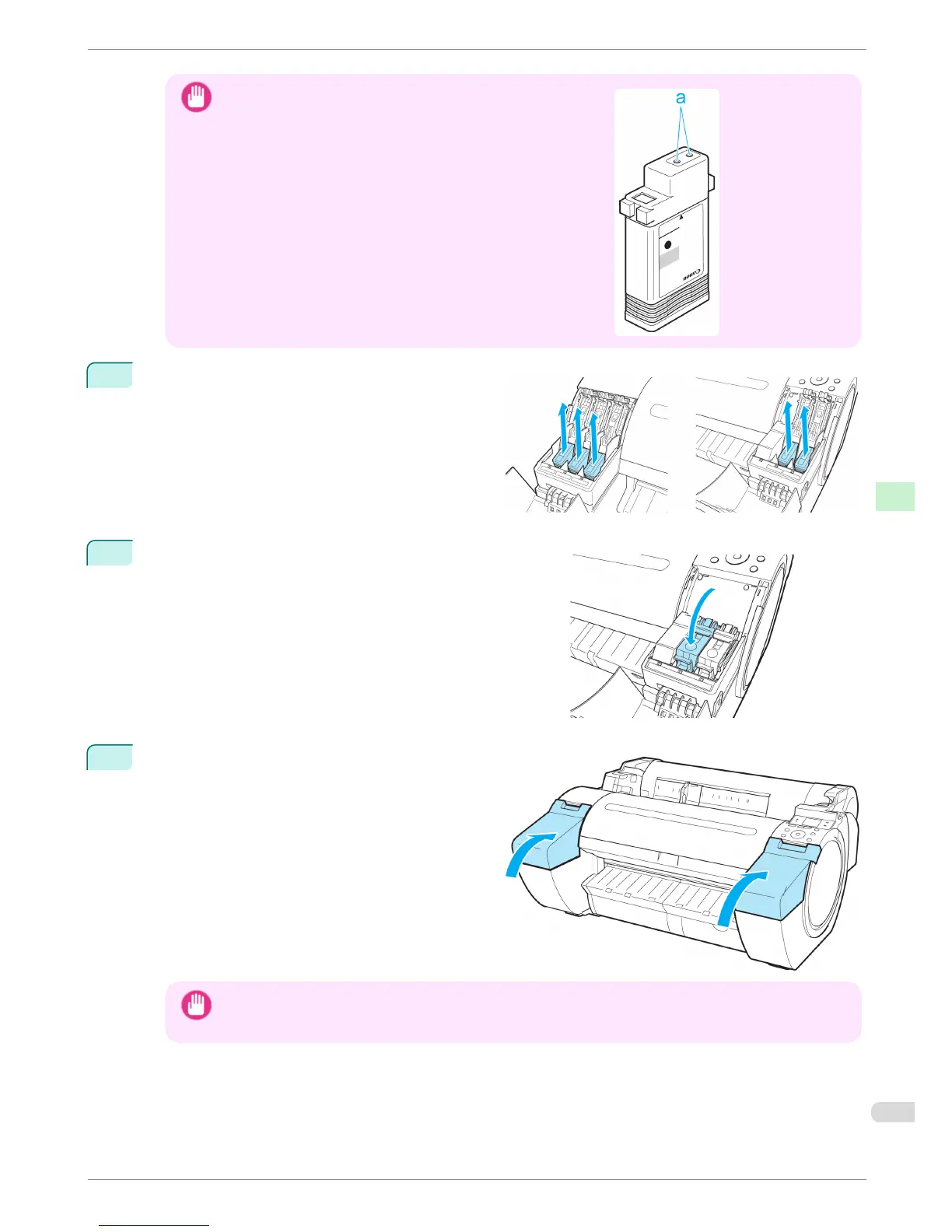
Store the ink tanks you removed with the ink holes (a) facing
up. Otherwise, ink may leak and cause stains.
4
Repeat steps 2 and 3 to remove all ink tanks.
5
Push all ink tank lock levers closed until they click into place.
6
Close the Ink Tank Cover.
Ink is now drawn into the Maintenance Cartridge.
Important
• Do not remove the Maintenance Cartridge except when the message for replacing it is displayed.
If you remove the Maintenance Cartridge while ink is being drawn out, the ink may leak out.
iPF680 Series
Preparing to Transfer the Printer
Basic Guide
Printer Relocation Preparing to Transfer the Printer
63














 To Next Page