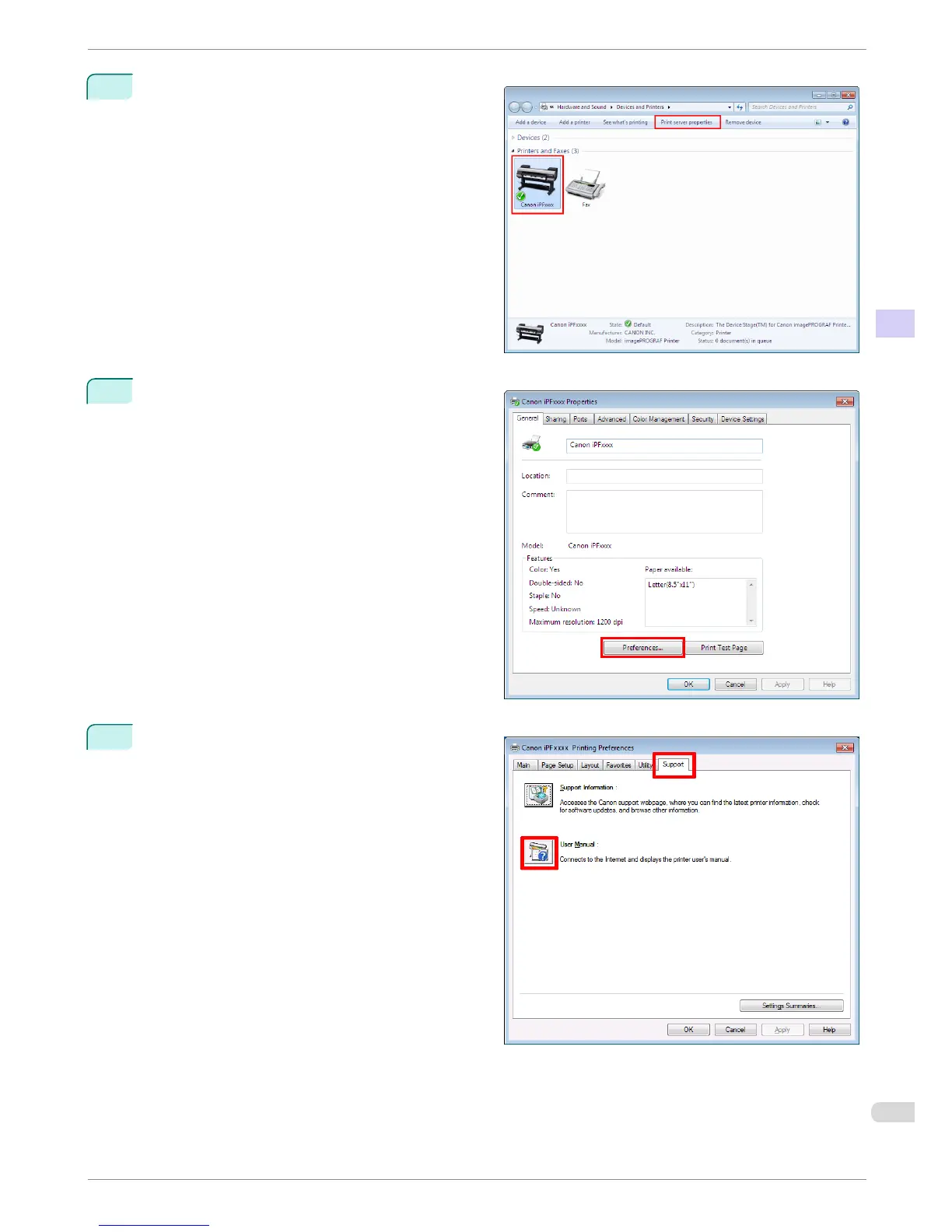
3
Right-click the printer, and then click Properties (or
Printer Properties).
4
Click Preferences (or Printing Preferences) to
display the Printing Preferences dialog box with
the printer name added to the title.
5
Select the Support sheet and click the User Man-
ual button.
iPF680 Series
To view the User's Guide or Paper Reference Guide
Basic Guide
Preface Manuals for this printer
7














 To Next Page