Configuring Settings in Mac OS
1. In the File menu of the source application, choose
the appropriate menu item for printer settings to
display the Print dialog box.
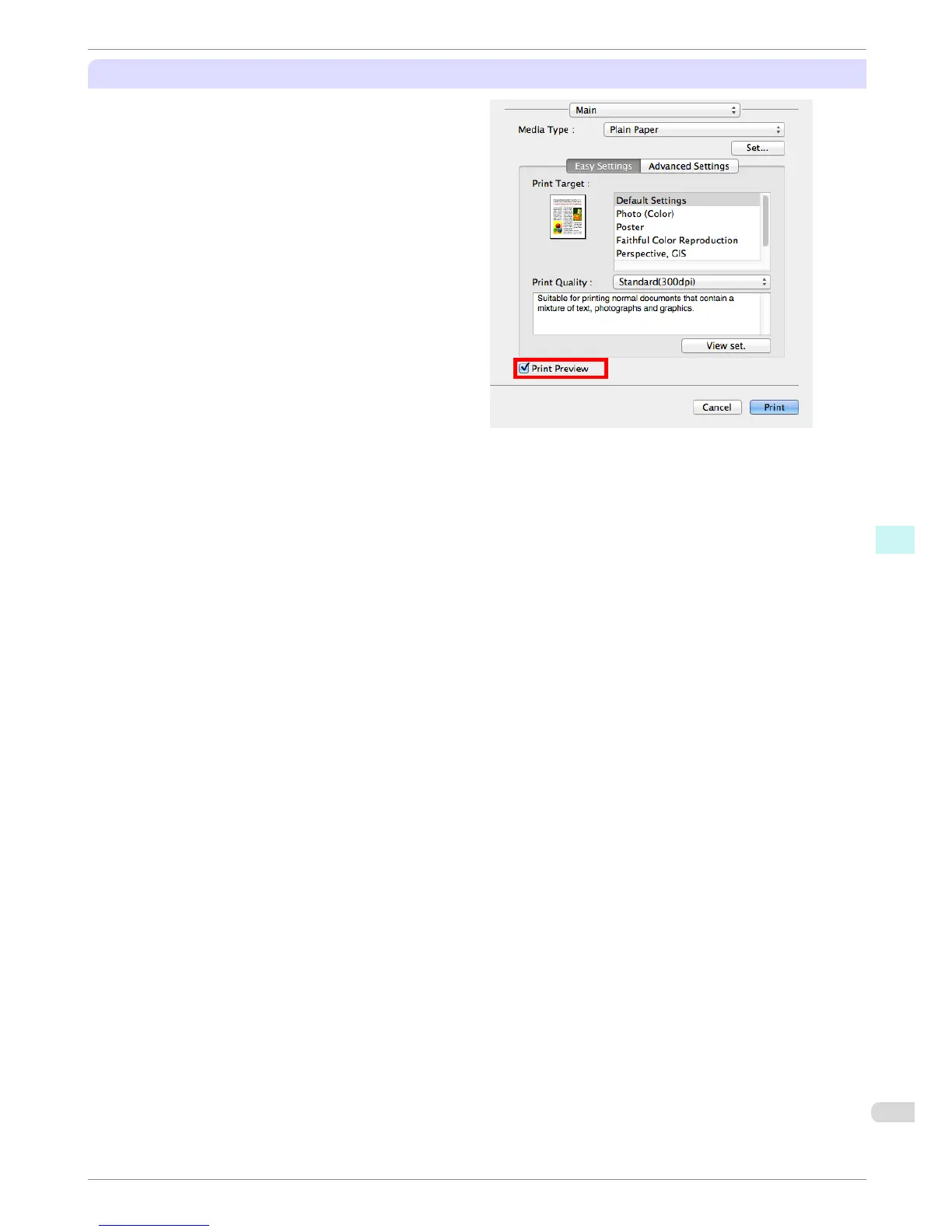
2. Access the Main pane.
3. Select the Print Preview check box.
4. After you click Print, the Canon imagePROGRAF
Preview window will be displayed.
iPF680 Series
Print Preview
Basic Guide
Software Installation Convenient Printer Driver Features
73














 To Next Page