3
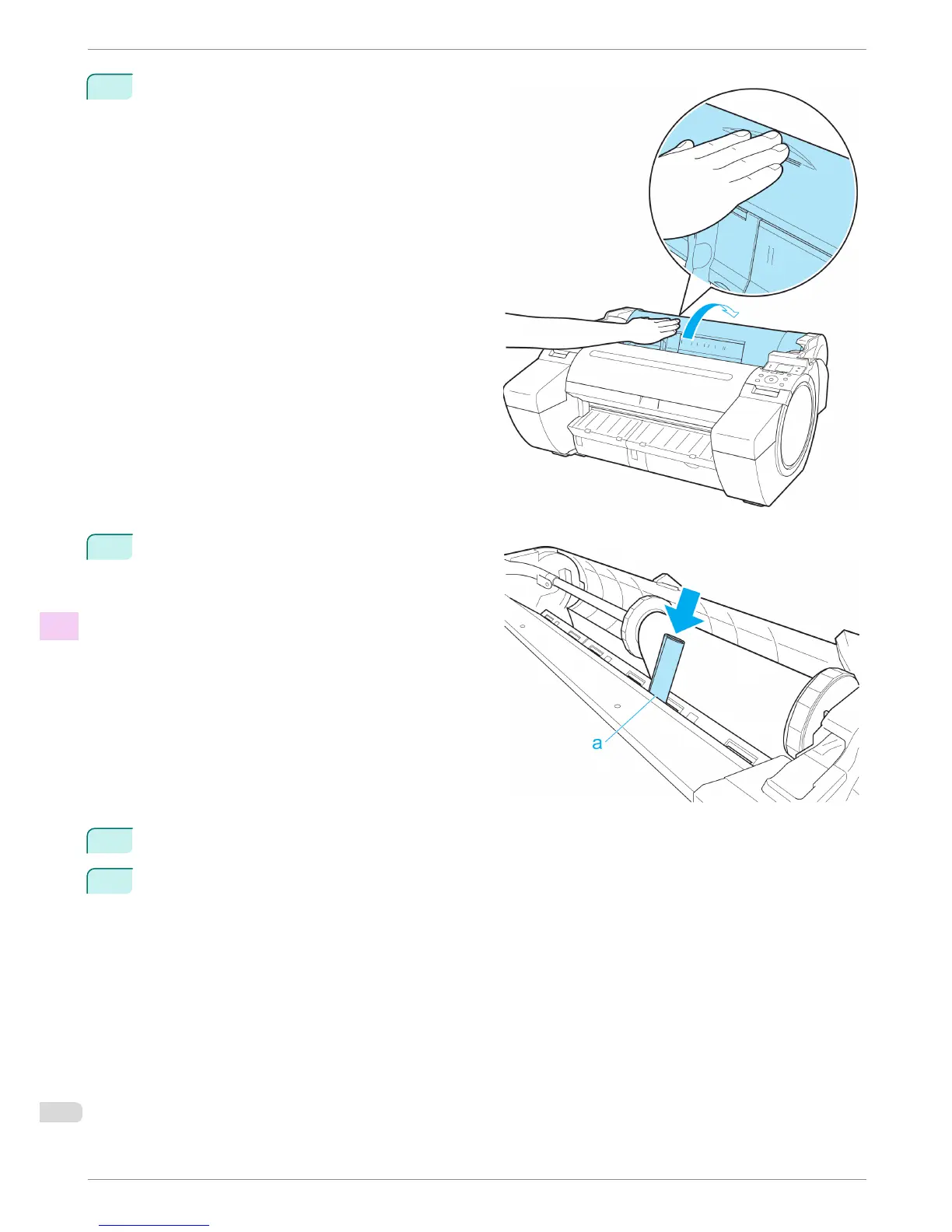
Positioning your hands as shown, open the Roll
Cover.
4
Fold an A4 sheet lengthwise four times and insert it
through the gap of the Paper Feed Slot. Push the
scrap out toward the Platen.
5
Remove the scrap when it is pushed out onto the Platen.
6
If any scraps remain inside the paper feed slot, repeat steps 4 and 5.
Clearing Jammed Paper (Paper Feed Slot)
iPF680 Series
Basic Guide
Troubleshooting Problems Regarding Paper
90














 To Next Page