Chapter 1
1-26
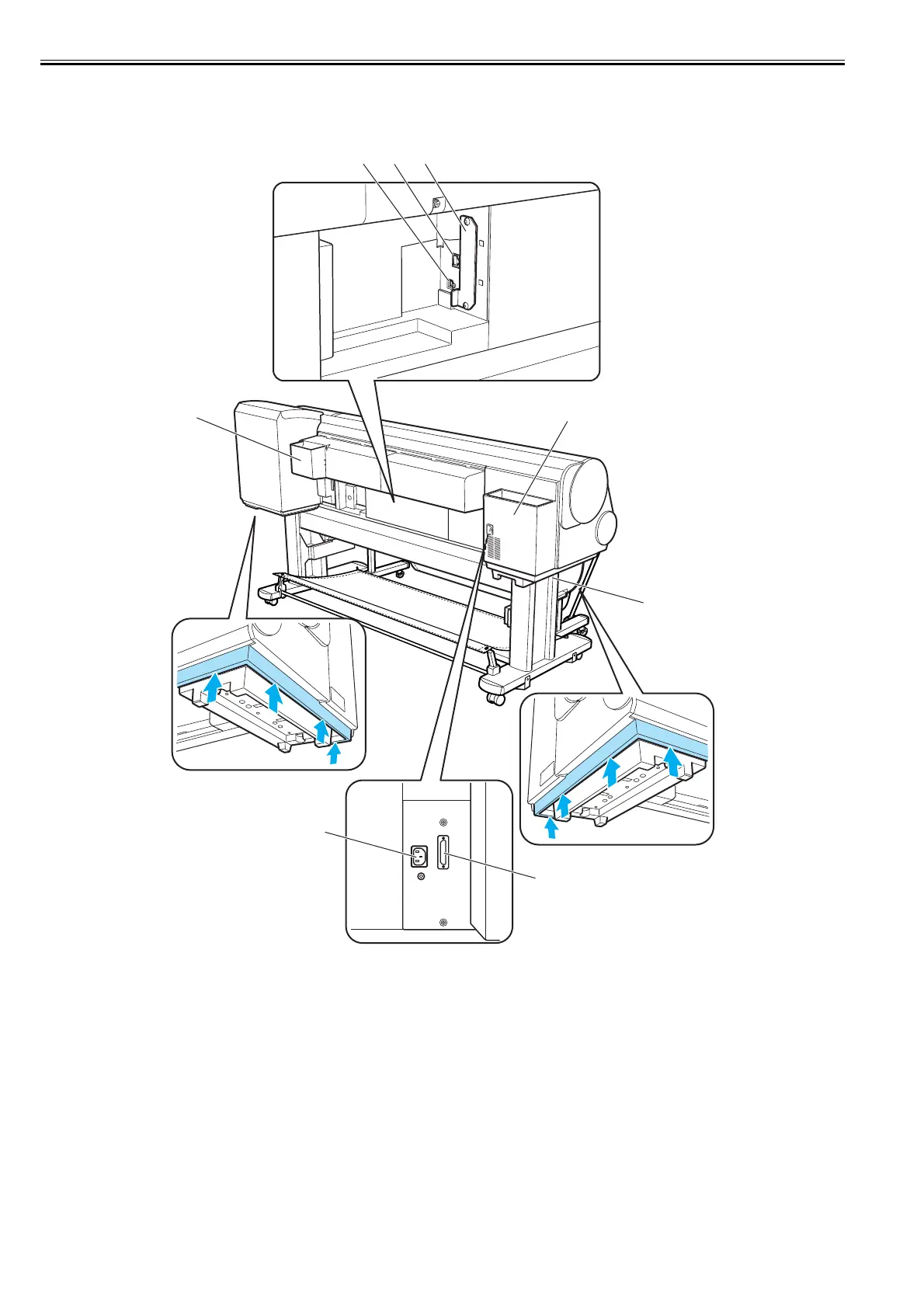
1.5.3 Rear
0020-5448
iPF820
F-1-23
[1] Expansion board slot
Mount an IEEE1394 (FireWire) Expansion board (option) into this slot.
[2] Ethernet connector
Insert an Ethernet cable into this connector. A lamp will turn on if the Ethernet cable is connected properly and the printer is ready to communicate.
[3] USB port
Insert a USB cable into this port. Hi-Speed USB-ready.
[4] Manual pocket
Have the printer manual stowed in this pocket.
[5] Power connector
Insert the power cord into this connector.
[6] Lower roll unit connector
Insert the lower roll unit cable into this connector.
[7] Carrying handle
The carrying handle is located on both left and right sides of the bottom. Allow a team of six persons to carry the printer.
[8] Accessory pocket
Have assembly tools, roller holder attachments and so on stowed in this pocket.
[3]
[2]
[1]
[4]
[5]
[6]
[7]
[8]



 To Next Page