Chapter 8
8-80
F-8-307
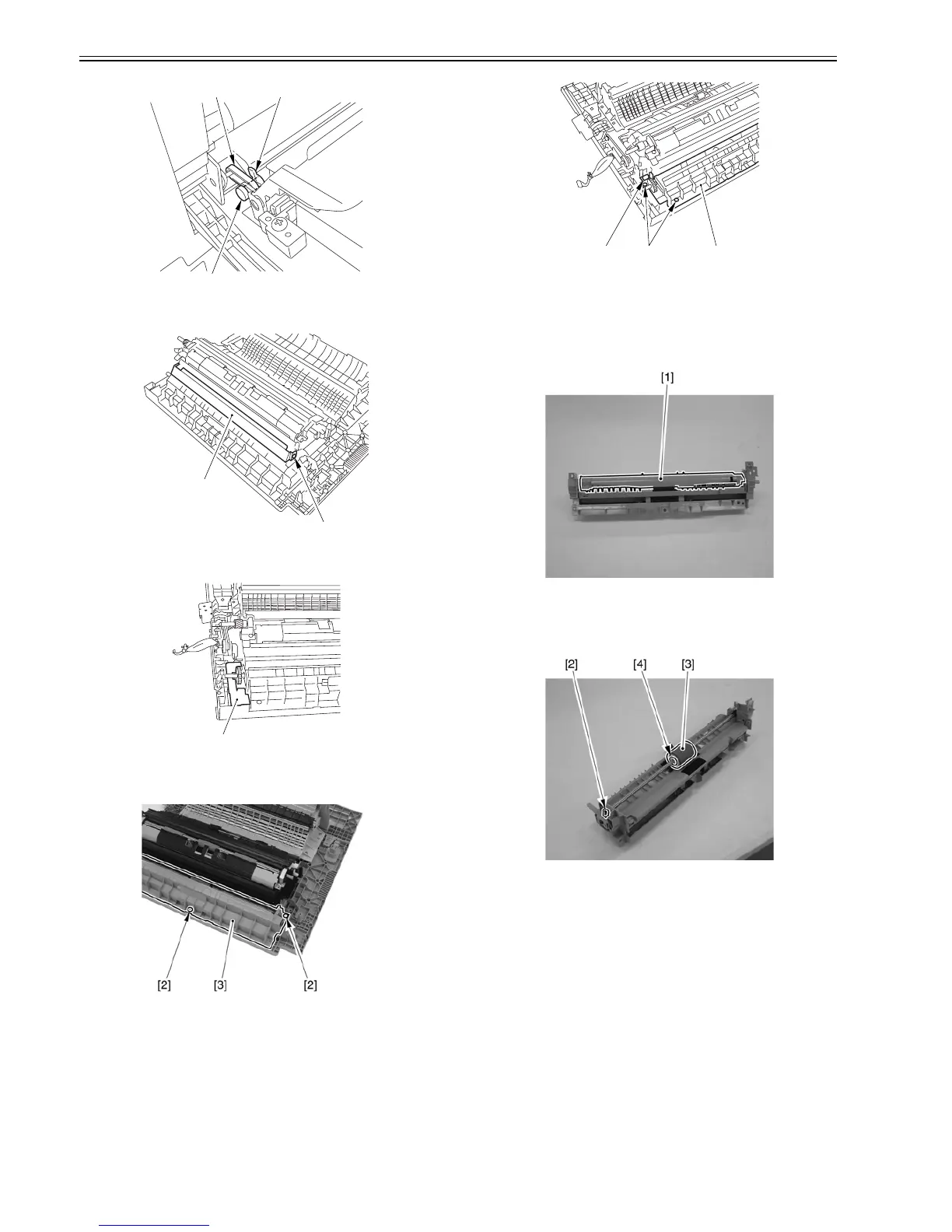
2) Remove the screw [2], and detach the manual feed guide [1].
F-8-308
3) Remove the connector cover [1] (snap-on).
F-8-309
4) Disconnect the connector [1].
5) Remove the 4 screws [2], and detach the manual feed unit [3].
F-8-310
F-8-311
8.8.16.5 Removing the Manual Feed Pickup Roller
0007-6713
iR2270 / iR2870 / iR3570 / iR4570 / / iR2270N / / iR2870N / / iR3570N /
/ iR4570N / iR2230 / / / iR3530 /
1) Remove the manual feed upper cover [1] (snap-on).
F-8-312
2) Remove the bush [2], and detach the manual feed pickup roller [3]
together with the shaft.
3) Remove the plastic E-ring [4], and detach the manual feed pickup roller
from shaft. Take care not to drop the parallel pin.
F-8-313
8.8.17 Manual Pick-up Clutch
8.8.17.1 Removing the Right Cover (rear)
0007-6675
iR2270 / iR2870 / iR3570 / iR4570 / / iR2270N / / iR2870N / / iR3570N /
/ iR4570N / iR2230 / / / iR3530 /
1) Open the pedestal right door [1]. (if equipped with a 2-Cassette Pedestal-
Y2)
2) Open the right lower door [2].
3) Remove the 5 screws [3], and detach the right cover (rear) [4].
[1] [2]
[3]
[1]
[2]
[1]
[1] [2] [3]



 To Next Page