Chapter 10
10-17
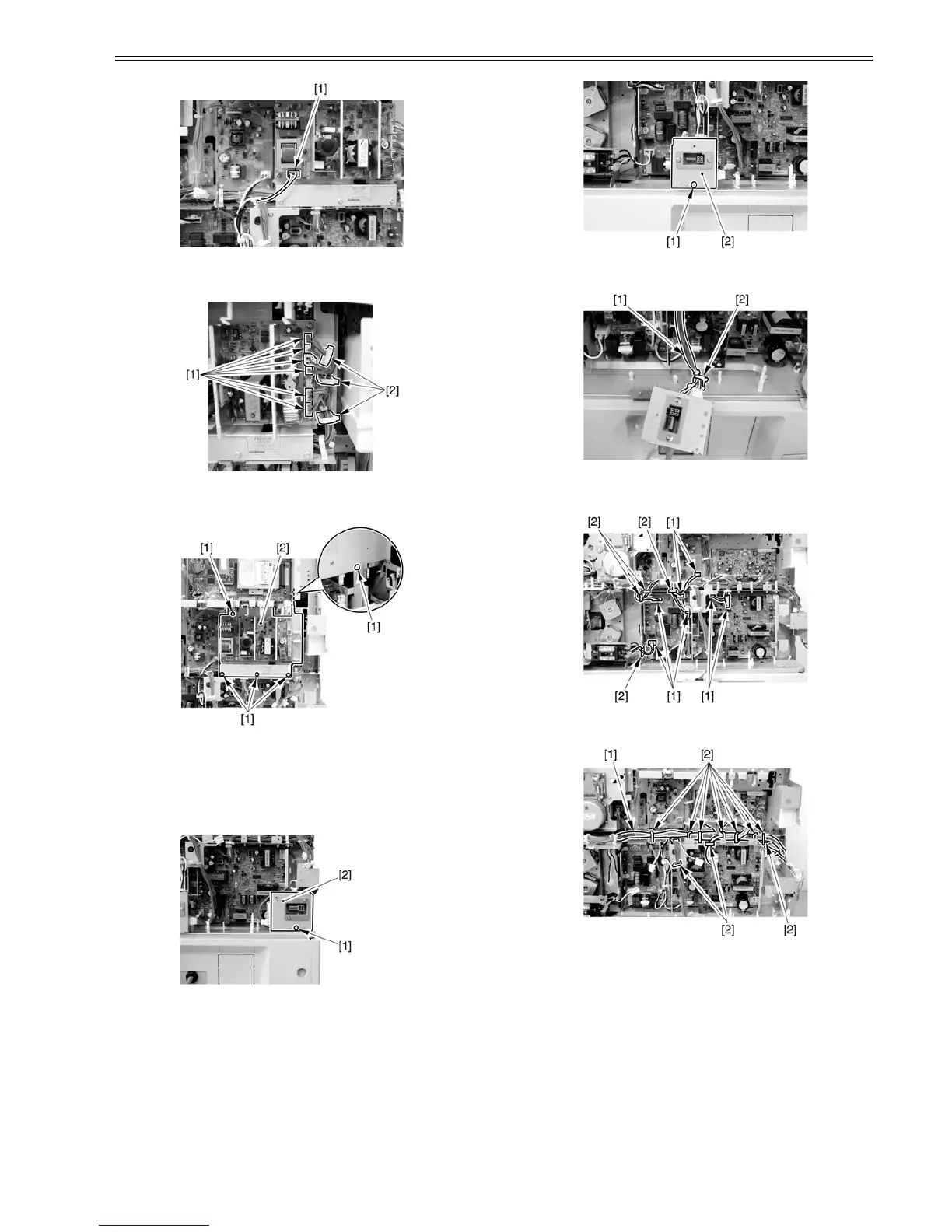
F-10-23
2) Remove the 6 connectors [1], and free the harness from the cable clamp
[2].
F-10-24
3) Remove the 5 binding screws [1], and detach the accessories power supply
PCB [2].
F-10-25
10.5.2.4 Removing the Main Power Supply
0007-6379
iR2270 / iR2870 / iR3570 / iR4570 / / iR2270N / / iR2870N / / iR3570N /
/ iR4570N / iR2230 / / / iR3530 /
1) Remove the screw [1], and disconnect the finisher connector [2].
F-10-26
2) Remove the screw [1], and disconnect the pedestal connector [2].
F-10-27
3) Free the harness [1] of the pedestal connector from the lamp [2].
F-10-28
4) Disconnect the 7 connectors [1], and free the harness from the 4 clamps
[2].
F-10-29
5) Free the harness [1] from the clamp [2].
F-10-30
6) Remove the 4 screws [1], and detach the main power supply [2].



 To Next Page