27
(A)
1
2
복사 해보기
문서를 평판 유리 위에 놓고 컬러 버튼 또는 흑백 버튼을 눌러 쉽게 이를 복사할 수 있습니다.
다양한 복사 절차에 대해서는
기본 가이드
전자 안내서의 "복사하기"를 참조하십시오.
자세한 내용은 23페이지의 "5 용지 로드하기"를 참조하십시오.
용지를 공급할 때 기기에서 작동 소음이 날 수 있습니다.
•
•
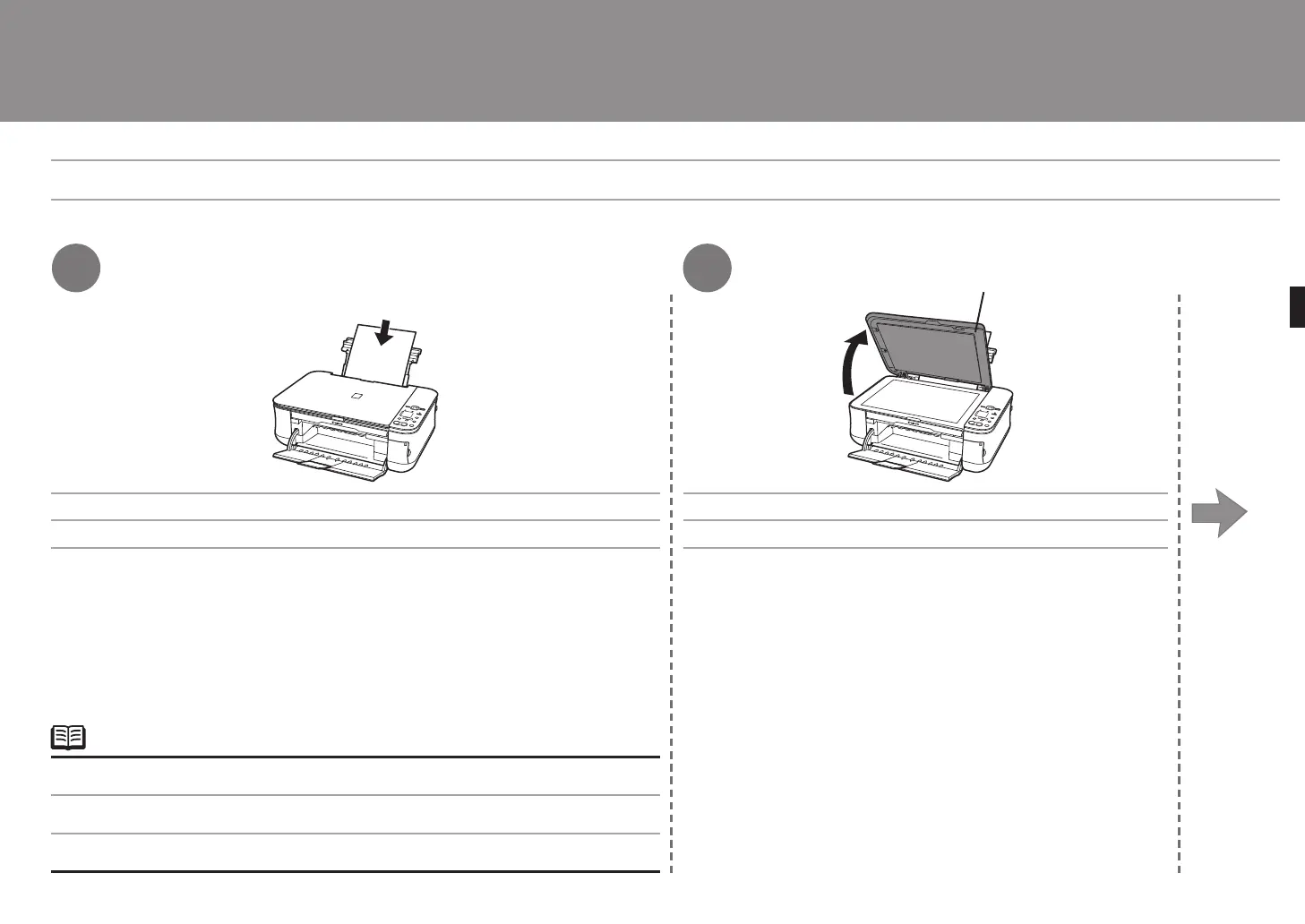
A4 또는 Letter 크기의 보통 용지 한 장을 로드합니다. 문서 커버(A)를 엽니다.
嘗試影印
可以透過將文件放置到原稿玻璃上並按彩色按鈕或黑白按鈕進行影印。
有關不同的影印操作步驟,請參閱
《基本指南》
中的「影印」。
有關詳細資訊,請參閱第 23 頁的「5 載入紙張」。
在送紙時本機可能發出操作噪音。
•
•
載入一張 A4或 Letter大小的一般紙張。 開啟文件蓋板 (A)。
Try Copying
You can copy a document by simply placing it on the Platen Glass and pressing the Color button or the Black button.
For various copying procedures, refer to "Copying" in the on-screen manual:
Basic Guide
.
Load a sheet of A4 or Letter-sized plain paper. Open the Document Cover (A).
For details, refer to "5 Loading Paper" on page 23.
The machine may make operating noise when feeding paper.
•
•



 To Next Page