6-7
Copying
● Zoom Designation
You can reduce or enlarge images by any copy ratio, in 1 % increments. The available
copy ratios are from 50 % to 200 %.
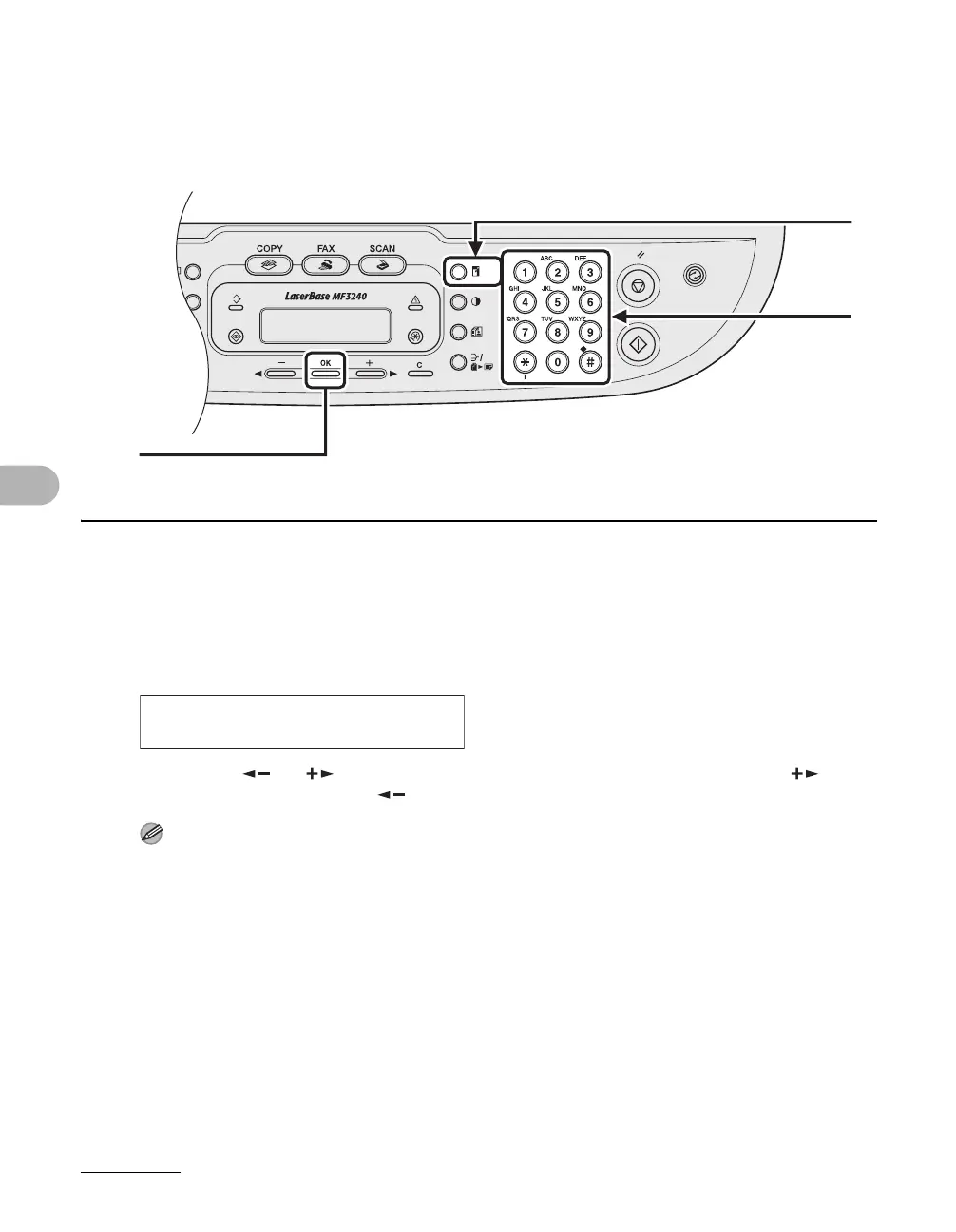
1 Press [Enlarge/Reduce] twice.
2 Enter the copy ratio with the numeric keys, then press [OK].
You can use [ ] or [ ] to adjust the zoom ratio. To increase the zoom ratio, press [ ]. To
decrease the copy ratio, press [ ].
NOTE
To return the copy ratio to 100%, press [Stop/Reset].
[OK]
2
1
Ex.
ZOOM 50-200%
- 100% +









 To Next Page