5-1
Receiving Faxes (MF3240 Only)
Receiving Faxes
(MF3240 Only)
Follow this procedure to set the machine for receiving faxes.
For advanced receiving features, see Chapter 1, “Advanced Fax Features (MF3240
Only),” in the Advanced Guide.
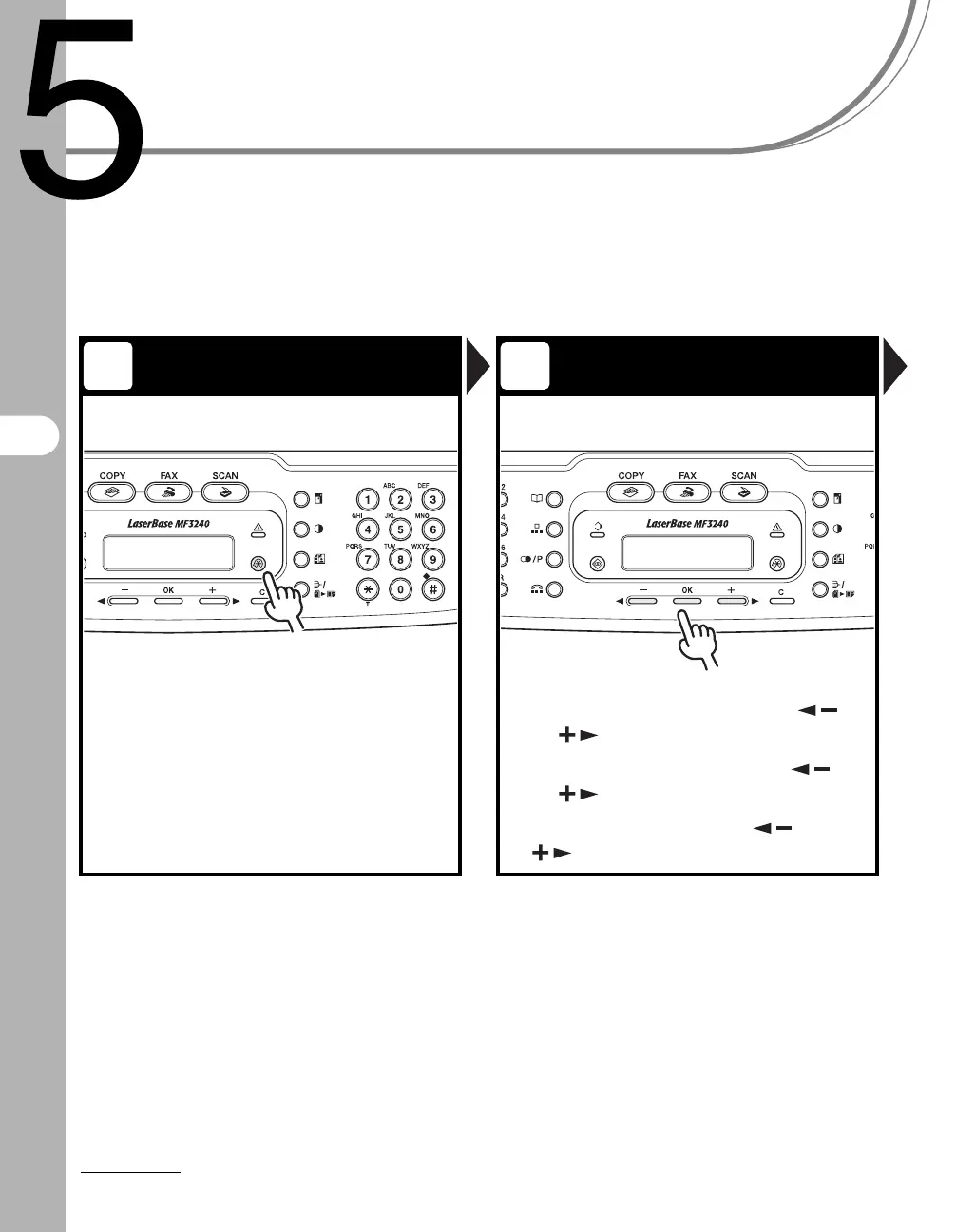
Enter the Setting Menu Enter the Receive Mode
Press [Additional Functions]. Select <FAX SETTINGS> with []
or [ ]
, then press [OK].
Select <RX SETTINGS> with
[]
or [ ]
, then press [OK].
Select <RX MODE> with
[] or
[]
, then press [OK].
1 2









 To Next Page