10-7
Maintenance
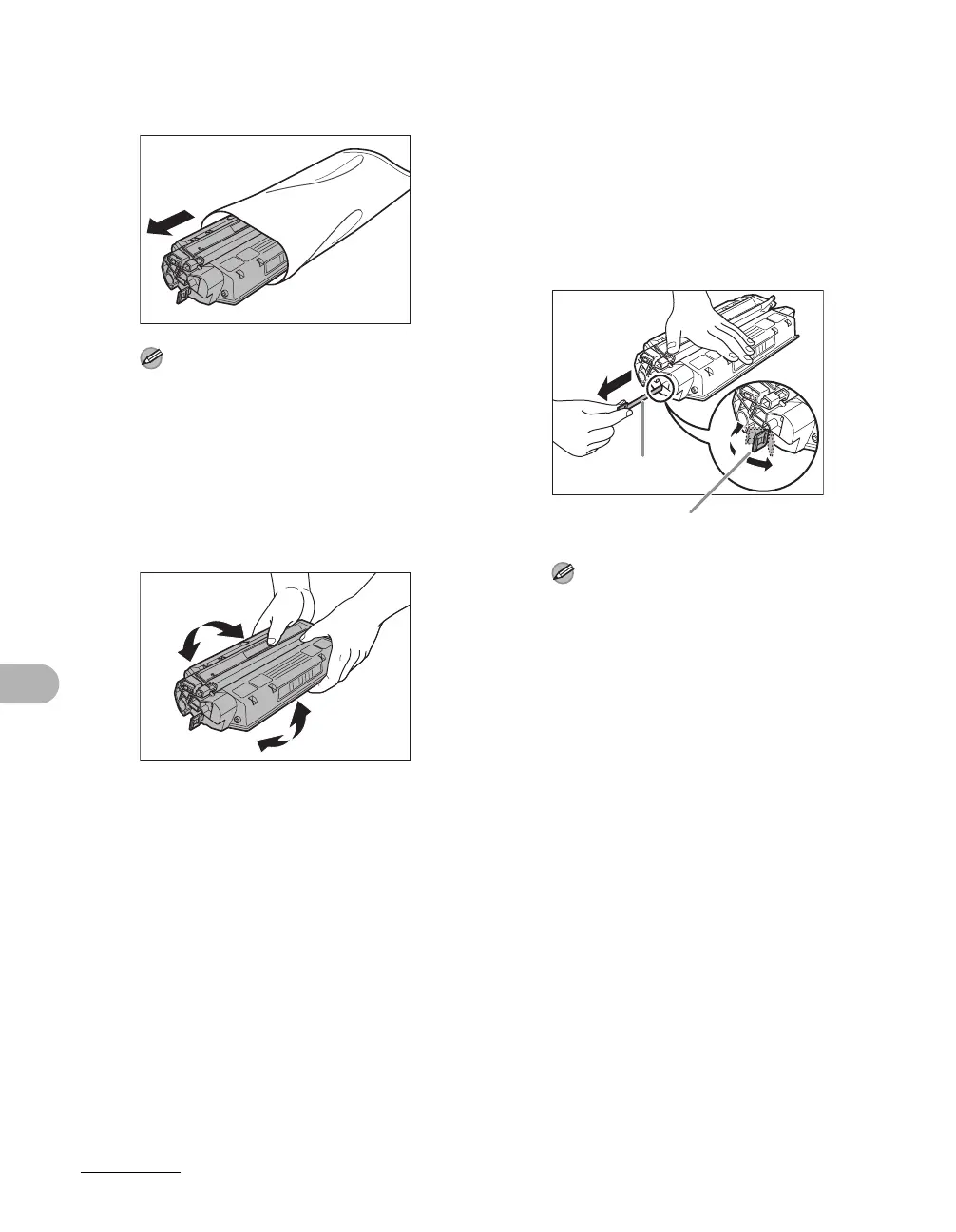
3 Remove the new toner cartridge
from the protective bag.
NOTE
Save the protective bag. You may need it
later when you remove the toner cartridge
from the machine.
4 Gently rock the toner cartridge
five or six times to distribute
toner inside.
5 Place the toner cartridge on a
flat and stable surface. Fold the
tab (A) on the sealing tape (B) as
shown below, and pull it out
straight while supporting the
toner cartridge.
Make sure that the tab itself is detached
from the toner cartridge.
NOTE
To avoid breaking the tape, do not pull out
the tape at an upward or downward angle.
B
A









 To Next Page