EasyManua.ls Logo

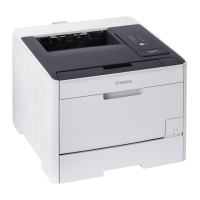
Canon LBP722Cdw - User Manual

Canon LBP722Cdw
184 pages
Print Icon
To Next Page IconTo Next Page
Loading...
En
Fr
De
It
Es
Ca
Eu
Pt
El
Da
Nl
No
Sv
Fi
Ru
Uk
Lv
Lt
Et
Pl
Cs
Sk
Sl
Hr
Hu
Ro
Bg
Tr
Ar
Fa
Setup Guide
3
User's Guide / FAQ
1
Important Safety Instructions
Be sure to read these manuals before using
the machine.
After finish reading this guide, store it in a safe place
for future reference.
The information in this guide is subject to change
without notice.
2
Setup Guide
(this document)
https://oip.manual.canon/

Other manuals for Canon LBP722Cdw

Question and Answer IconNeed help?

Do you have a question about the Canon LBP722Cdw and is the answer not in the manual?

Summary

Checking the Items Included

Remove all packing material

Remove all packing material and tape from the printer before proceeding with setup.

Connecting the Power Cord

Connect power cord to machine

Connect the power cord to the machine and then to the power outlet.

Specifying Basic Settings

Specifying Security Settings

Set Administrator password

Set an Administrator password to enhance machine security and access control.

Specifying Network Settings

Configure Wired LAN settings

Connect the machine to a wired network by connecting the LAN cable.

Configure Wireless LAN settings

Connect the machine to a wireless network by selecting SSID and entering the network key.

Installing Software;Drivers

Download and install software;drivers

Install the necessary software and drivers from the included CD/DVD or website.

Summary

Checking the Items Included

Remove all packing material

Remove all packing material and tape from the printer before proceeding with setup.

Connecting the Power Cord

Connect power cord to machine

Connect the power cord to the machine and then to the power outlet.

Specifying Basic Settings

Specifying Security Settings

Set Administrator password

Set an Administrator password to enhance machine security and access control.

Specifying Network Settings

Configure Wired LAN settings

Connect the machine to a wired network by connecting the LAN cable.

Configure Wireless LAN settings

Connect the machine to a wireless network by selecting SSID and entering the network key.

Installing Software;Drivers

Download and install software;drivers

Install the necessary software and drivers from the included CD/DVD or website.

Canon LBP722Cdw Specifications

General IconGeneral
Printer TypeColor Laser Printer
Print Speed (Black)28 ppm
Print Speed (Color)28 ppm
Print Speed (Letter)28 ppm
Print Resolution1200 x 1200 dpi
Monthly Duty Cycle30, 000 pages
Automatic Duplex PrintingYes
Paper Capacity (Standard)250 sheets
Processor1 GHz
Memory1 GB
Operating System CompatibilityWindows, macOS, Linux
ConnectivityUSB, Ethernet, Wi-Fi
Paper SizesLetter, Legal
Mobile PrintingAirPrint, Google Cloud Print, Mopria
Print LanguagesUFR II, PCL6, PostScript 3
First Print Out TimeLess than 10 seconds

Related product manuals