On-Screen Manual
>
Scanning Guide
> MP Navigator EX Screens
> Preferences Dialog Box
Preferences Dialog Box
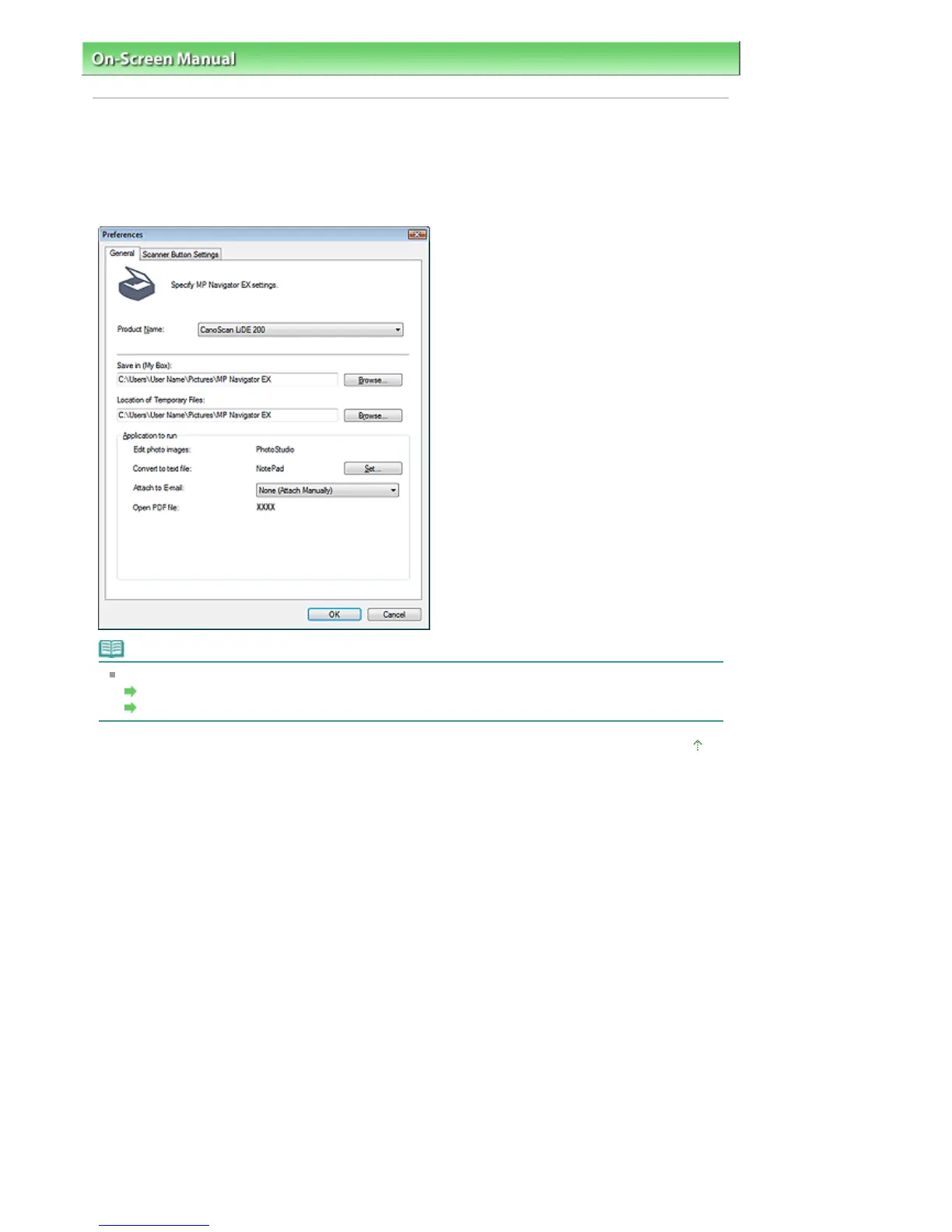
Click Preferences in the Navigation Mode screen to open the Preferences dialog box.
In the Preferences dialog box, you can make advanced settings to MP Navigator EX functions via the
General and Scanner Button Settings tabs.
Note
See the corresponding sections below for details on each tab.
General Tab
Scanner Button Settings Tab
Page top
Sayfa 143 / 268 sayfaPreferences Dialog Box




 To Next Page