On-Screen Manual
>
How to Use This Manual > Operating the Contents Screen
Operating the Contents Screen
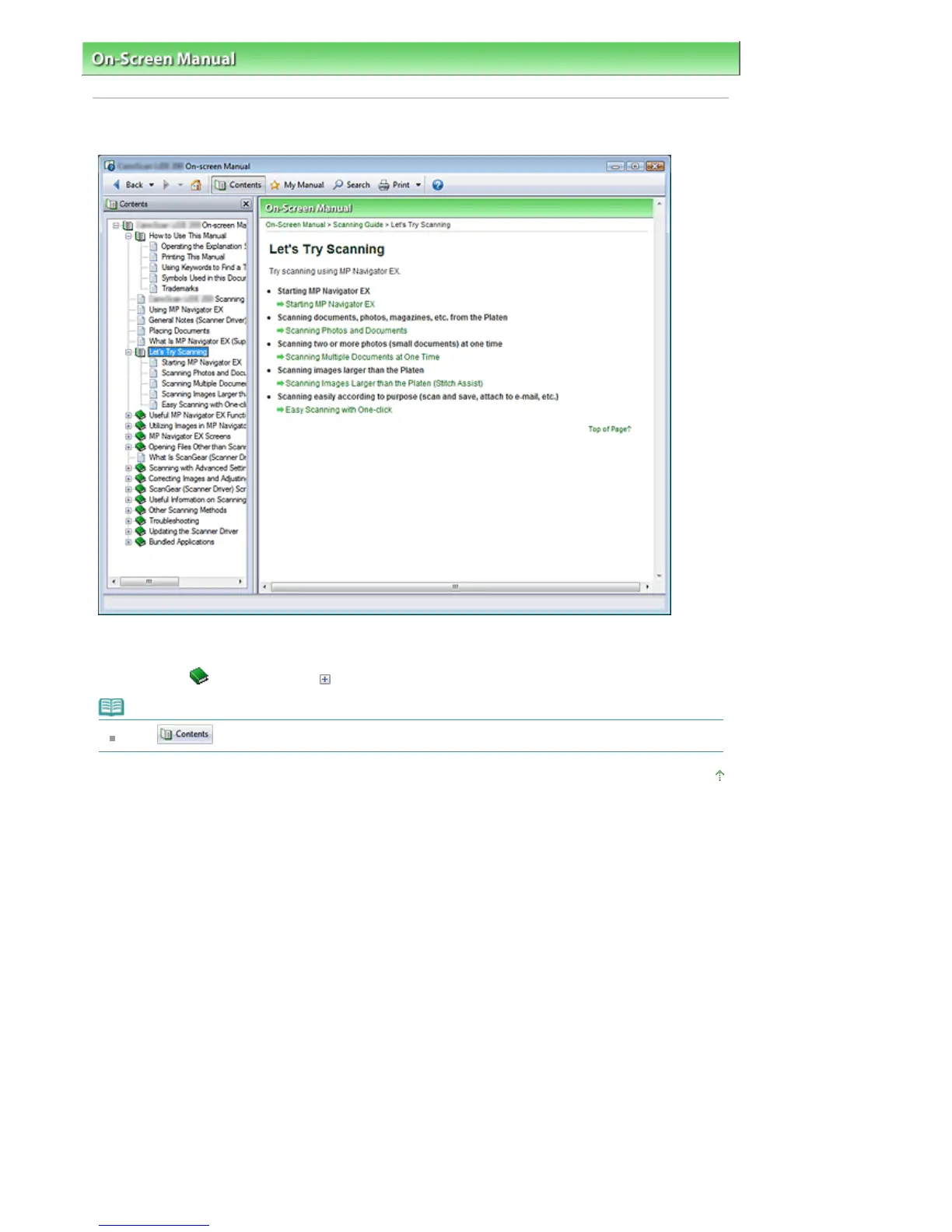
When you click a title displayed in the Contents screen found to the left of the On-screen Manual, the
pages of that title are displayed in the description window on the right side.
When you click
found to the left of
, the titles found in the lower hierarchies are displayed.
Note
Click
to close or display the Contents screen.
Page top
Sayfa 3 / 268 sayfaOperating the Contents Screen




 To Next Page