(14/58)
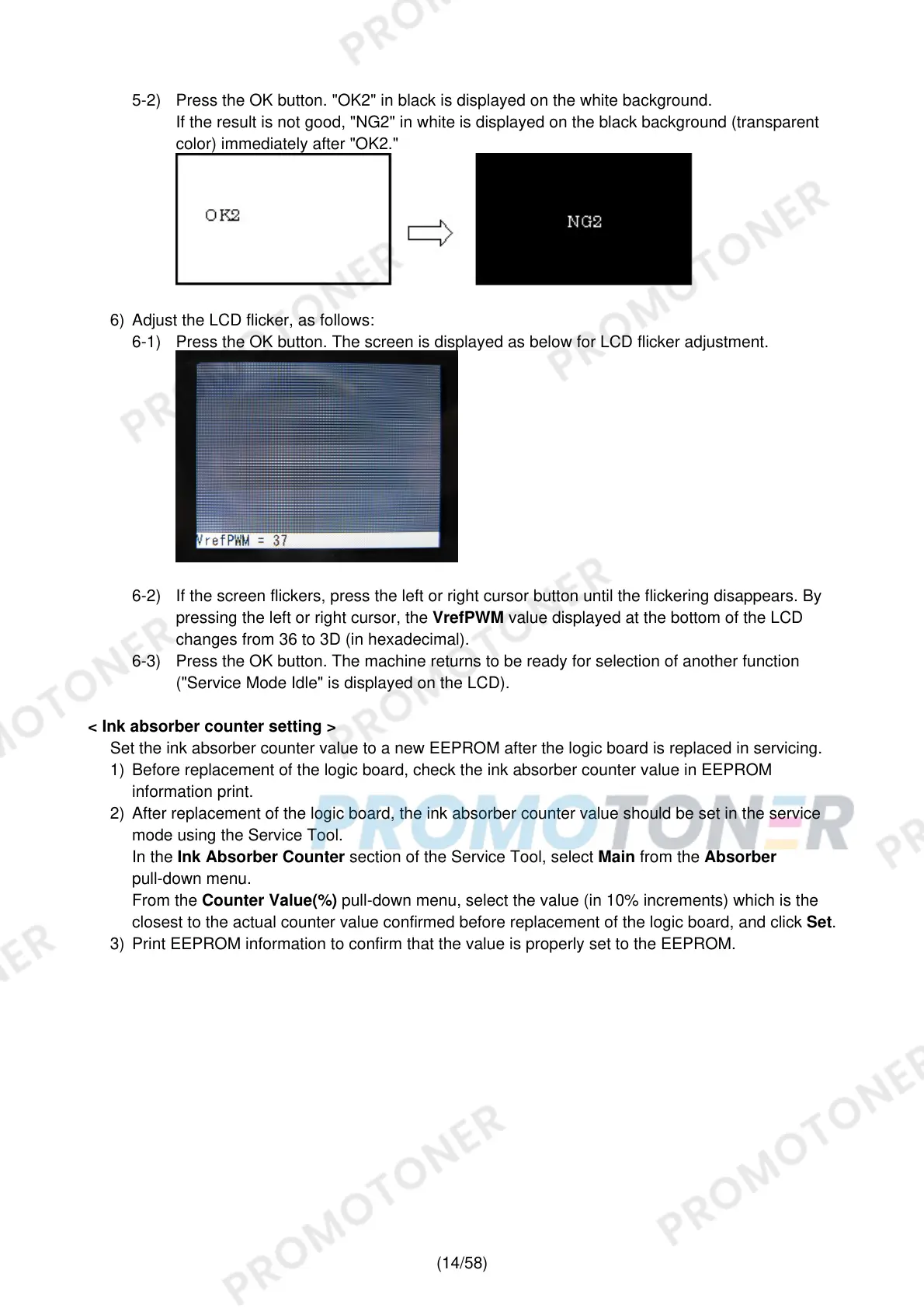
5-2) Press the OK button. "OK2" in black is displayed on the white background.
If the result is not good, "NG2" in white is displayed on the black background (transparent
color) immediately after "OK2."
6) Adjust the LCD flicker, as follows:
6-1) Press the OK button. The screen is displayed as below for LCD flicker adjustment.
6-2) If the screen flickers, press the left or right cursor button until the flickering disappears. By
pressing the left or right cursor, the VrefPWM value displayed at the bottom of the LCD
changes from 36 to 3D (in hexadecimal).
6-3) Press the OK button. The machine returns to be ready for selection of another function
("Service Mode Idle" is displayed on the LCD).
< Ink absorber counter setting >
Set the ink absorber counter value to a new EEPROM after the logic board is replaced in servicing.
1) Before replacement of the logic board, check the ink absorber counter value in EEPROM
information print.
2) After replacement of the logic board, the ink absorber counter value should be set in the service
mode using the Service Tool.
In the Ink Absorber Counter section of the Service Tool, select Main from the Absorber
pull-down menu.
From the Counter Value(%) pull-down menu, select the value (in 10% increments) which is the
closest to the actual counter value confirmed before replacement of the logic board, and click Set.
3) Print EEPROM information to confirm that the value is properly set to the EEPROM.











 To Next Page