10
1
2
3
4
5
Action
Restoring the Machine's Default LAN Settings to Perform Setup Again
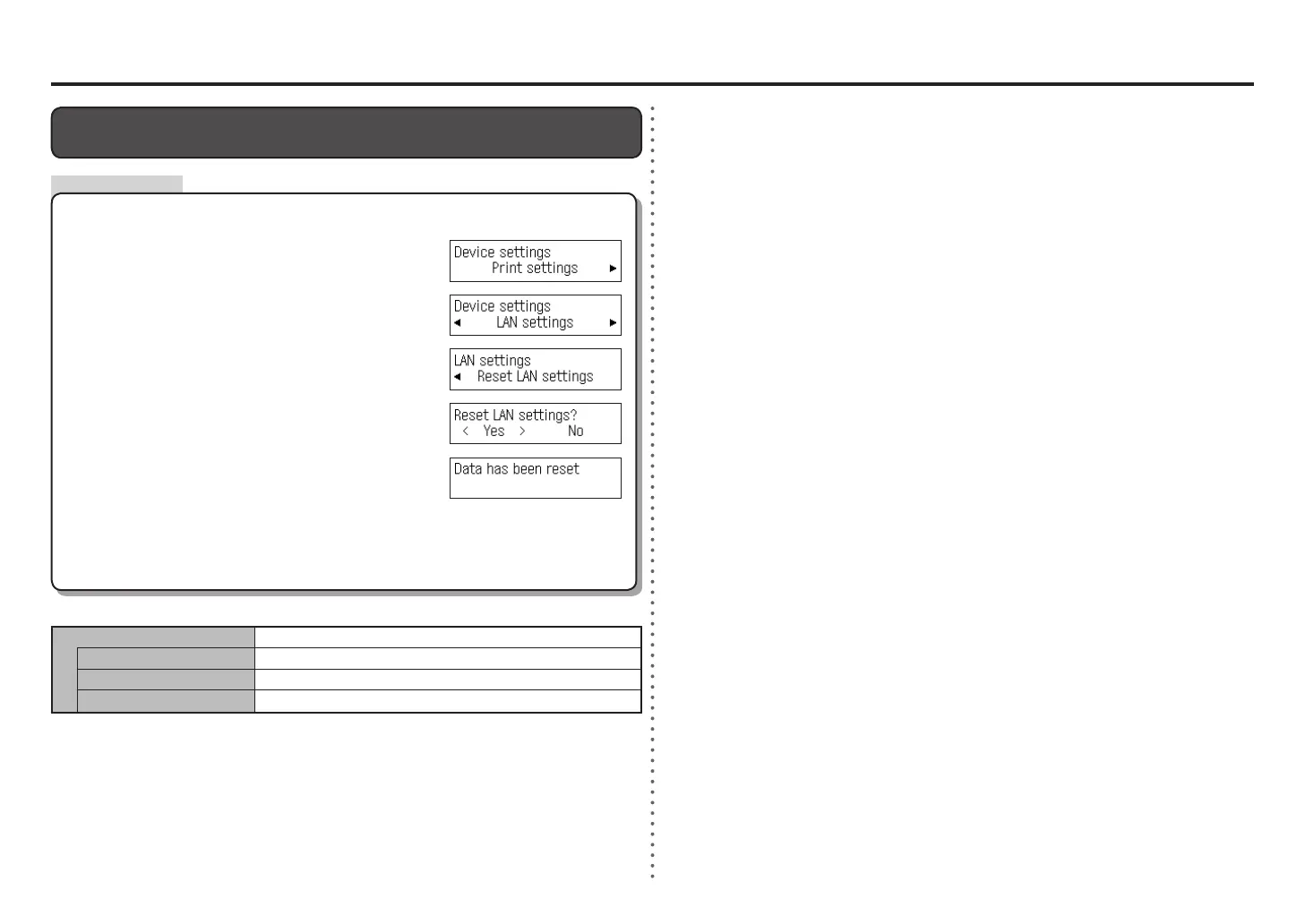
Follow the procedure below to restore LAN settings of the machine to the default state.
<Default State>
Wireless LAN Inactive
SSID BJNPSETUP
Data encryption Inactive
TCP/IP settings Obtain an IP address automatically
The LAN setting of the machine is now restored to the default state.
Perform setup again by following the procedures from "7 Set Up a Wireless Connection" in the
printed manual: Getting Started.
•
Select Yes, then press the OK button.
Use the [ or ] button to select LAN settings, then
press the OK button.
Use the Menu button to select Device settings.
After a while, the Device settings screen returns. Press the
COPY button.
•
Make sure that the screen shown to the right appears.
Select Reset LAN settings, then press the OK button.















 To Next Page