8
2
3
4
1
5
C
D
E
B
A
Reference Information
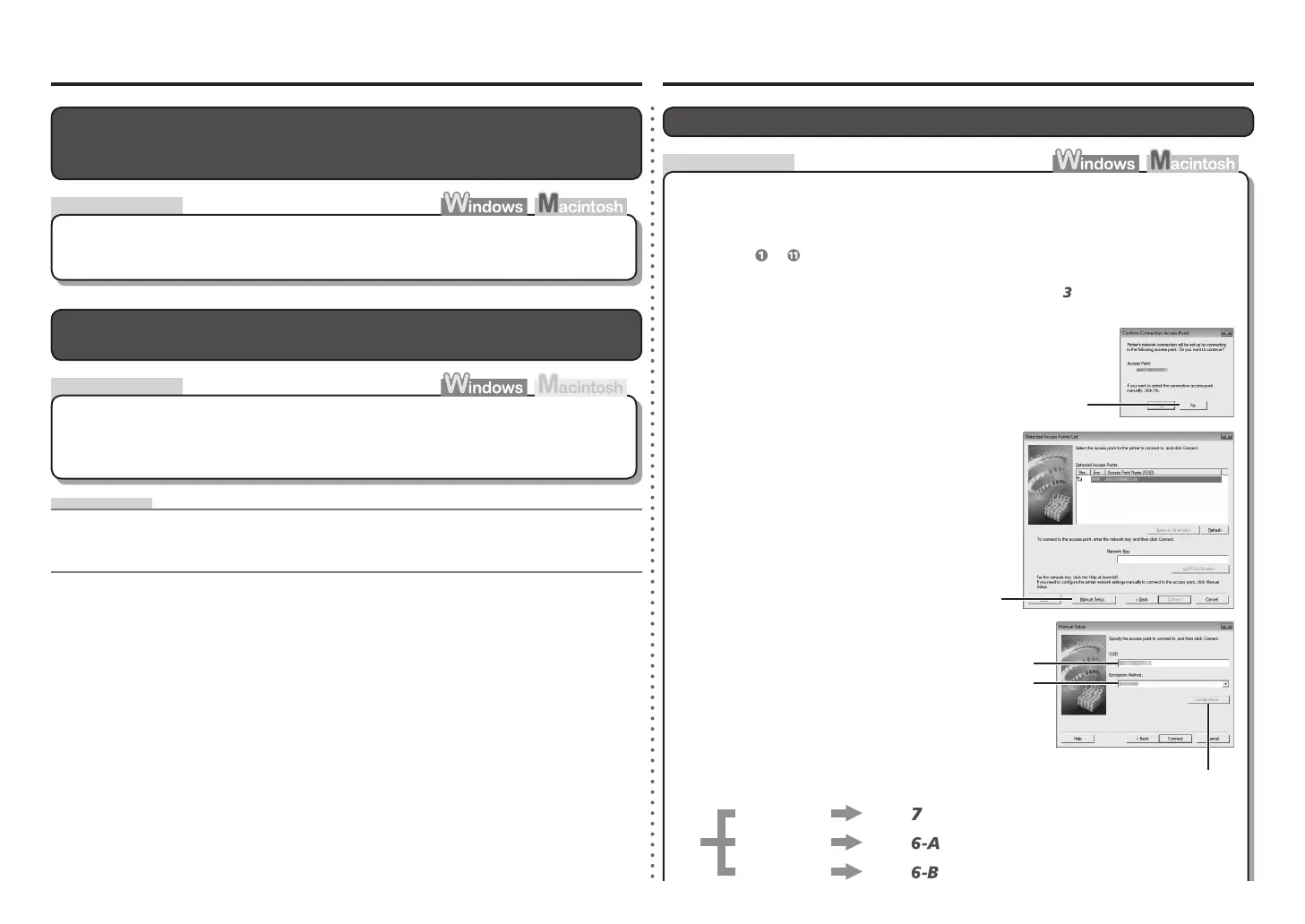
Enter the access point name/network name
(SSID) in SSID (C).
Click Manual Setup (B).
When the Confirm Connection Access
Point screen appears, click No (A).
Enter the access point name/network name (SSID) and security setting (WEP, WPA,
etc.) directly.
Follow the procedure below.
Configuring Wireless LAN Settings Manually
The Detected Access Points List screen is
displayed.
•
Go to either of the following steps according
to the selected Encryption Method (security
protocol).
•
Disable
WEP
WPA/WPA2
Go to
on page 9.
Go to
on page 9.
Go to
on page 9.
The Manual Setup screen is displayed.•
Perform
to
in "Software Installation (1)" in the printed manual: Getting Started.
Select the security protocol for the access
point in Encryption Method (D), then click
Configuration (E).
If the Detected Access Points List screen is displayed, go to
.•
Action
Check
Check
Other Troubleshooting Tips
The Machine is Not Detected after the Network Environment is Changed
IP address•
A numerical identification assigned to each computer or network device connected to a network.
Glossary
Wait until the IP address is assigned to the computer. You may need to restart your
computer.
Search for the machine again after confirming a valid IP address is assigned to the computer.•
Forgotten or Do Not Know the Access Point Name/Network Name
(SSID), Security Protocol (encryption standard), and Network Key
Check the access point settings.
For details on how to check the settings of the access point, refer to the manual supplied with the
access point or contact its manufacturer.
•















 To Next Page