CHAPTER 2 STANDARDS AND ADJUSTMENTS
2-24
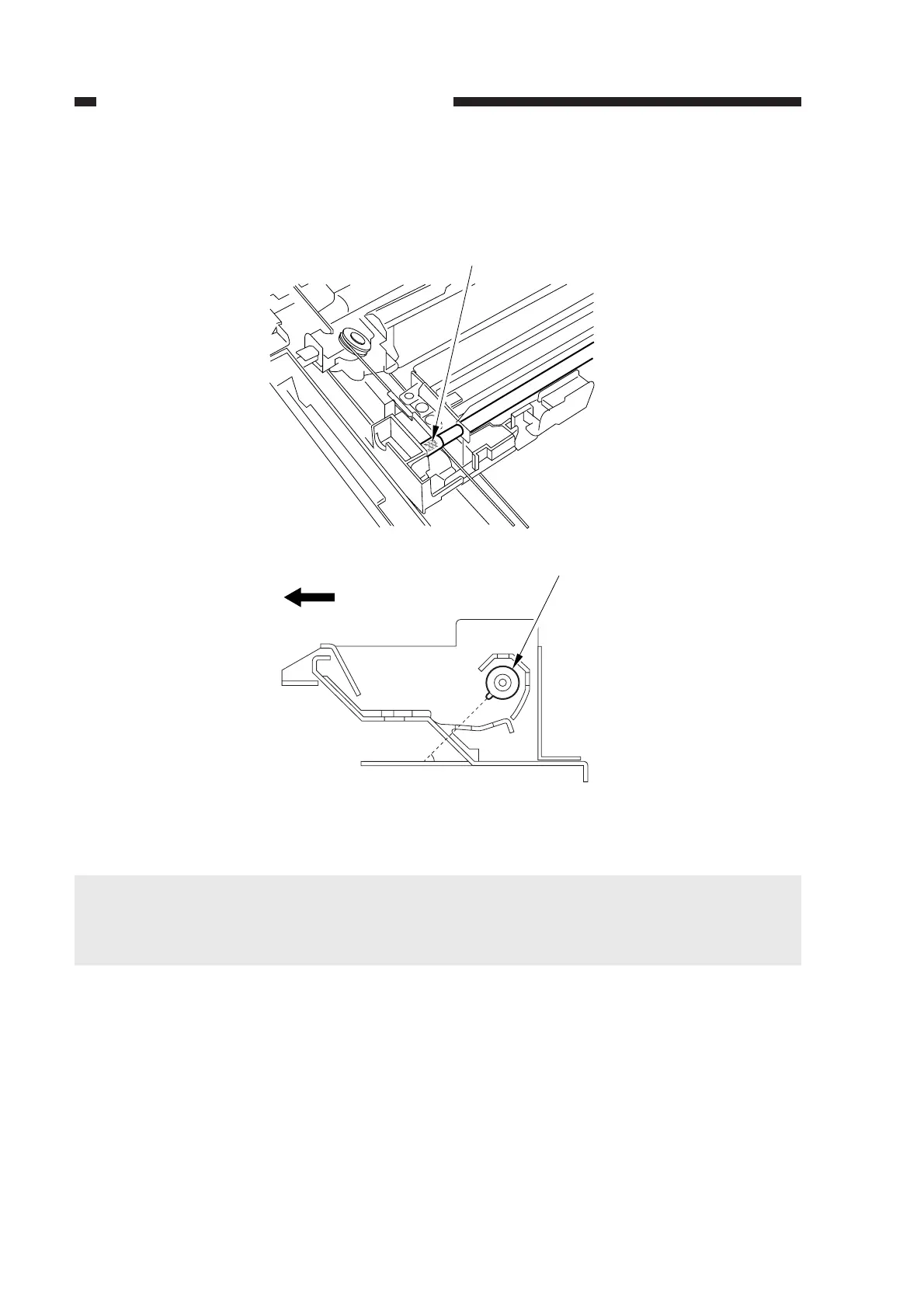
f. Point to Note When Mounting the Scanning Lamp
When mounting the scanning lamp, be sure that its logo mark (manufacturer’s name) is toward
the front. Further, be sure that the protrusion near its middle is as shown.
Figure 2-42
Caution:
• If you have replaced the scanning lamp, you must adjust the intensity of the lamp (p. 2-38)
and perform AE adjustment.
• Do not touch the lamp when handling it.
Logo mark
Scanning lamp
45˚ (approx.)
(mirror mount moving in reverse)
(front)



 To Next Page