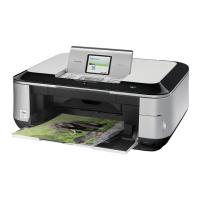
Getting Help from Canon
Help Us Help
You
Better
Before you contact Canon, please record the following information.
Serial Number (located
on
the inside
of
the product): _
Model Number (located
on
the top of the product): _
Setup CD-ROM number (located
on
the CD-ROM): _
Purchase Date: _
Customer Technical Support Sequence*
1.lnternet- www.canontechsupport.com
For quick and comprehensive self-help
in
an intuitively guided interactive troubleshooting
environment, the place to start is our helpful tech support web site.
In
addition, the latest driver
downloads, answers to frequently asked questions, product information, and "where to buy"
instructions are found here.
2.
Email Tech Support - www.canontechsupport.com
For individual attention
to
a special issue, try emailing our friendly technical support representatives,
specially trained to communicate quick, easy, and logical solutions
to
your inquiries within 24 hours.
3.
Toll-Free Live Tech Support - (1-800-828-4040)
This option provides live telephone technical support, free of service charges, Monday-
Saturday (excluding holidays), during your product's 1 year limited warranty period.
Telephone Device for the Deaf (TOO) support
is
available at (1-866-251-3752).
4. Extended Service and Support - www.canonesp.com
Canon CarePAK Extended Service Plan
is
a cost-attractive and easy-to-use extended service
program that provides
up
to
three full years of service and support coverage at a very attractive price.
CarePAK offers toll-free Canon technical support and includes Canon's superb InstantExchange
product replacement program. For further information about extending your Canon service and
support, call (1-800-385-2155), or visit our Web site at www.canonesp.com. CarePAK must be
purchased during your product's warranty period.
For more information and updated program specifics, please visit our web site at
www.canontechsupport.com.
* Support program specifics are subject to change without notice.
Getting Help from Canon
Help Us Help
You
Better
Before you contact Canon, please record the following information.
Serial Number (located
on
the inside
of
the product): _
Model Number (located
on
the top of the product): _
Setup CD-ROM number (located
on
the CD-ROM): _
Purchase Date: _
Customer Technical Support Sequence*
1.lnternet- www.canontechsupport.com
For quick and comprehensive self-help
in
an intuitively guided interactive troubleshooting
environment, the place to start is our helpful tech support web site.
In
addition, the latest driver
downloads, answers to frequently asked questions, product information, and "where to buy"
instructions are found here.
2.
Email Tech Support - www.canontechsupport.com
For individual attention
to
a special issue, try emailing our friendly technical support representatives,
specially trained to communicate quick, easy, and logical solutions
to
your inquiries within 24 hours.
3.
Toll-Free Live Tech Support - (1-800-828-4040)
This option provides live telephone technical support, free of service charges, Monday-
Saturday (excluding holidays), during your product's 1 year limited warranty period.
Telephone Device for the Deaf (TOO) support
is
available at (1-866-251-3752).
4. Extended Service and Support - www.canonesp.com
Canon CarePAK Extended Service Plan
is
a cost-attractive and easy-to-use extended service
program that provides
up
to
three full years of service and support coverage at a very attractive price.
CarePAK offers toll-free Canon technical support and includes Canon's superb InstantExchange
product replacement program. For further information about extending your Canon service and
support, call (1-800-385-2155), or visit our Web site at www.canonesp.com. CarePAK must be
purchased during your product's warranty period.
For more information and updated program specifics, please visit our web site at
www.canontechsupport.com.
* Support program specifics are subject to change without notice.



 To Next Page
 Loading...