12
Using the Zoom
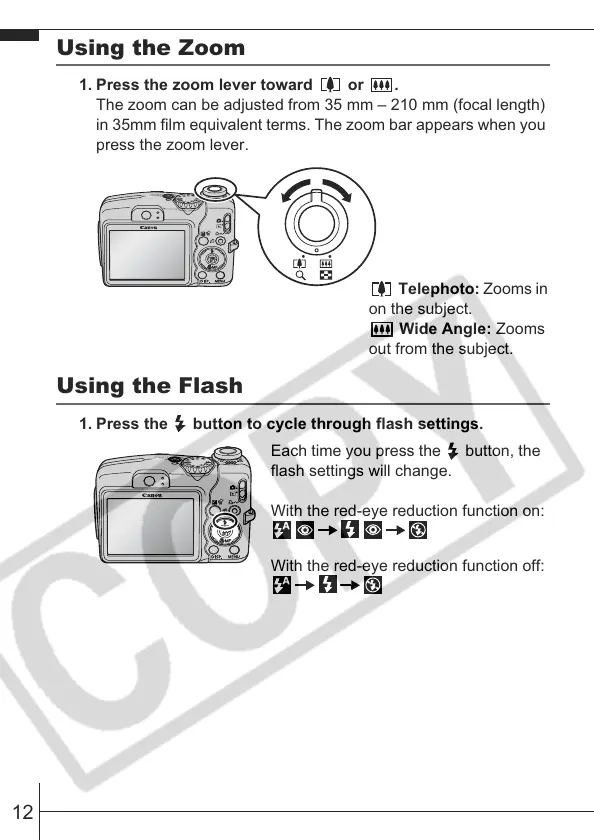
1. Press the zoom lever toward or .
The zoom can be adjusted from 35 mm – 210 mm (focal length)
in 35mm film equivalent terms. The zoom bar appears when you
press the zoom lever.
Using the Flash
1. Press the button to cycle through flash settings.
Telephoto: Zooms in
on the subject.
Wide Angle: Zooms
out from the subject.
Each time you press the button, the
flash settings will change.
With the red-eye reduction function on:
With the red-eye reduction function off:








 To Next Page