7
Preparations
First Time Settings
Setting the Date/Time
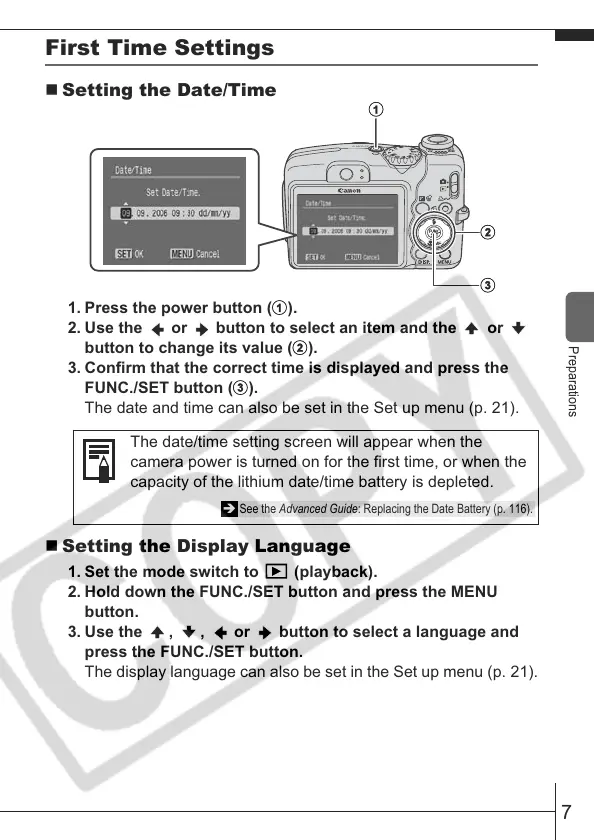
1. Press the power button (
).
2. Use the or button to select an item and the or
button to change its value (
).
3. Confirm that the correct time is displayed and press the
FUNC./SET button (
).
The date and time can also be set in the Set up menu (p. 21).
Setting the Display Language
1. Set the mode switch to (playback).
2. Hold down the FUNC./SET button and press the MENU
button.
3. Use the , , or button to select a language and
press the FUNC./SET button.
The display language can also be set in the Set up menu (p. 21).
The date/time setting screen will appear when the
camera power is turned on for the first time, or when the
capacity of the lithium date/time battery is depleted.
Î See the Advanced Guide: Replacing the Date Battery (p. 116).








 To Next Page