19
Playback/Erasing
1.
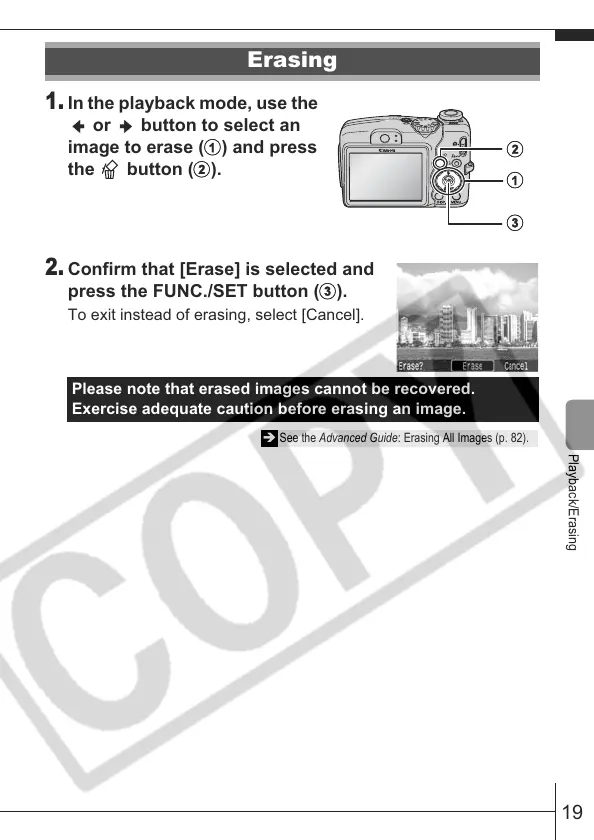
In the playback mode, use the
or button to select an
image to erase (
) and press
the button (
).
2.
Confirm that [Erase] is selected and
press the FUNC./SET button (
).
To exit instead of erasing, select [Cancel].
Erasing
Please note that erased images cannot be recovered.
Exercise adequate caution before erasing an image.
Î See the Advanced Guide: Erasing All Images (p. 82).









 To Next Page