15
2.
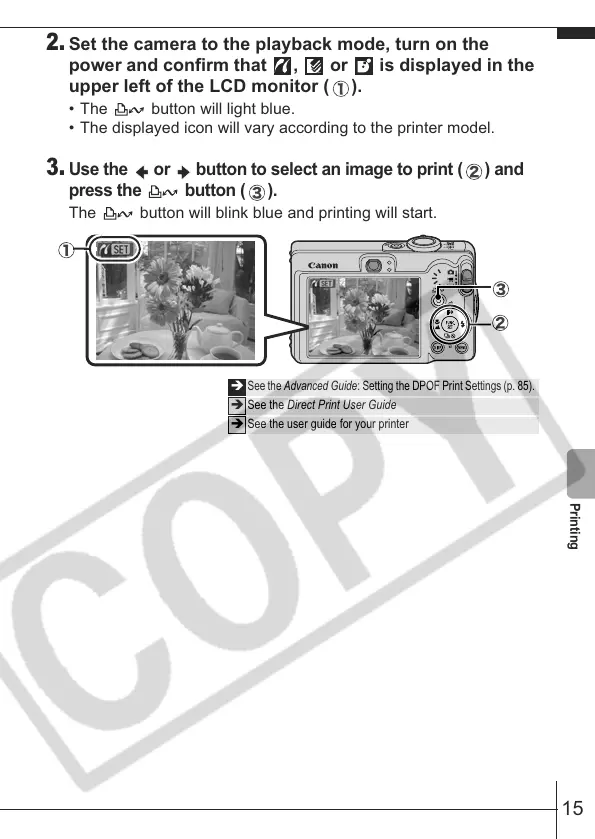
Set the camera to the playback mode, turn on the
power and confirm that , or is displayed in the
upper left of the LCD monitor ( ).
• The button will light blue.
• The displayed icon will vary according to the printer model.
3.
Use the or button to select an image to print ( ) and
press the button ( ).
The button will blink blue and printing will start.
Î
See the Advanced Guide: Setting the DPOF Print Settings (p. 85).
Î See the Direct Print User Guide
Î See the user guide for your printer
Printing










 To Next Page