3
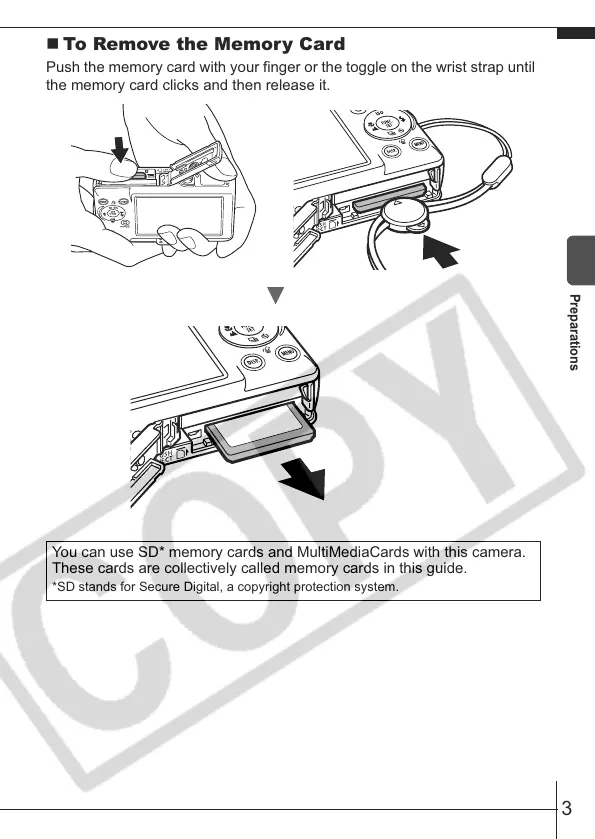
To Remove the Memory Card
Push the memory card with your finger or the toggle on the wrist strap until
the memory card clicks and then release it.
You can use SD* memory cards and MultiMediaCards with this camera.
These cards are collectively called memory cards in this guide.
*SD stands for Secure Digital, a copyright protection system.
Preparations










 To Next Page