EasyManua.ls Logo

Canon S9000 - User Manual

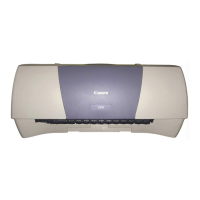
Canon S9000
179 pages
Print Icon
To Next Page IconTo Next Page
Loading...
User’s Guide
BUBBLE JET PRINTER
V1

Table of Contents

Other manuals for Canon S9000

Question and Answer IconNeed help?

Do you have a question about the Canon S9000 and is the answer not in the manual?

Summary

Canon S9000 Printer Safety Precautions

Choosing a Safe Printer Location

Guidance on selecting a safe and stable environment for printer placement.

Printer Power Supply Safety

Instructions and warnings related to connecting and using the printer's power.

Printer Maintenance Safety Guidelines

Precautions for keeping the printer in good working condition.

Working Around the Printer Safely

Safety guidelines for operating the printer in its environment.

Print Head and Ink Tank Handling Safety

Safety considerations for handling and storing printer consumables.

Canon S9000 Printer Parts Identification

Canon S9000 Windows Printer Driver Functions

Canon S9000 Macintosh Printer Driver Functions

Canon S9000 Routine Maintenance Procedures

When to Replace Ink Tank and Maintain Print Head

Guidance on when to perform essential maintenance tasks.

Replacing an Ink Tank in the S9000

Step-by-step instructions for replacing printer ink cartridges.

Canon S9000 Printing Media Guide

Canon S9000 Troubleshooting Guide

Troubleshooting Printer Driver Installation

Solutions for problems encountered during printer driver installation.

Troubleshooting Poor Print Quality

Common issues affecting print quality and their resolutions.

Troubleshooting Printer Not Starting or Stopping

Steps for when the printer fails to operate or pauses.

Troubleshooting Paper Feed and Jam Issues

Solutions for paper feeding issues and printer jams.

Interpreting Flashing Orange POWER Lamp Errors

Explains error codes indicated by the POWER lamp's flashing patterns.

Troubleshooting Screen Error Messages

Troubleshooting common error messages shown on computer displays.

Summary

Canon S9000 Printer Safety Precautions

Choosing a Safe Printer Location

Guidance on selecting a safe and stable environment for printer placement.

Printer Power Supply Safety

Instructions and warnings related to connecting and using the printer's power.

Printer Maintenance Safety Guidelines

Precautions for keeping the printer in good working condition.

Working Around the Printer Safely

Safety guidelines for operating the printer in its environment.

Print Head and Ink Tank Handling Safety

Safety considerations for handling and storing printer consumables.

Canon S9000 Printer Parts Identification

Canon S9000 Windows Printer Driver Functions

Canon S9000 Macintosh Printer Driver Functions

Canon S9000 Routine Maintenance Procedures

When to Replace Ink Tank and Maintain Print Head

Guidance on when to perform essential maintenance tasks.

Replacing an Ink Tank in the S9000

Step-by-step instructions for replacing printer ink cartridges.

Canon S9000 Printing Media Guide

Canon S9000 Troubleshooting Guide

Troubleshooting Printer Driver Installation

Solutions for problems encountered during printer driver installation.

Troubleshooting Poor Print Quality

Common issues affecting print quality and their resolutions.

Troubleshooting Printer Not Starting or Stopping

Steps for when the printer fails to operate or pauses.

Troubleshooting Paper Feed and Jam Issues

Solutions for paper feeding issues and printer jams.

Interpreting Flashing Orange POWER Lamp Errors

Explains error codes indicated by the POWER lamp's flashing patterns.

Troubleshooting Screen Error Messages

Troubleshooting common error messages shown on computer displays.

Canon S9000 Specifications

General IconGeneral
Number of Ink Cartridges6
Printer TypeInkjet
Ink Palette Supported (Colors)Cyan, magenta, yellow, black, photo cyan, photo magenta
Ink Cartridge ConfigurationIndividual ink tanks
Paper Sizes SupportedLetter, Legal, A4, A5, B5, Envelopes
Media TypePlain paper, photo paper, envelopes
ConnectivityUSB
Operating System CompatibilityWindows, Mac
Media SizesA4, A5, B5

Related product manuals