Install the Printer Driver and Software
71
Printing from a Computer
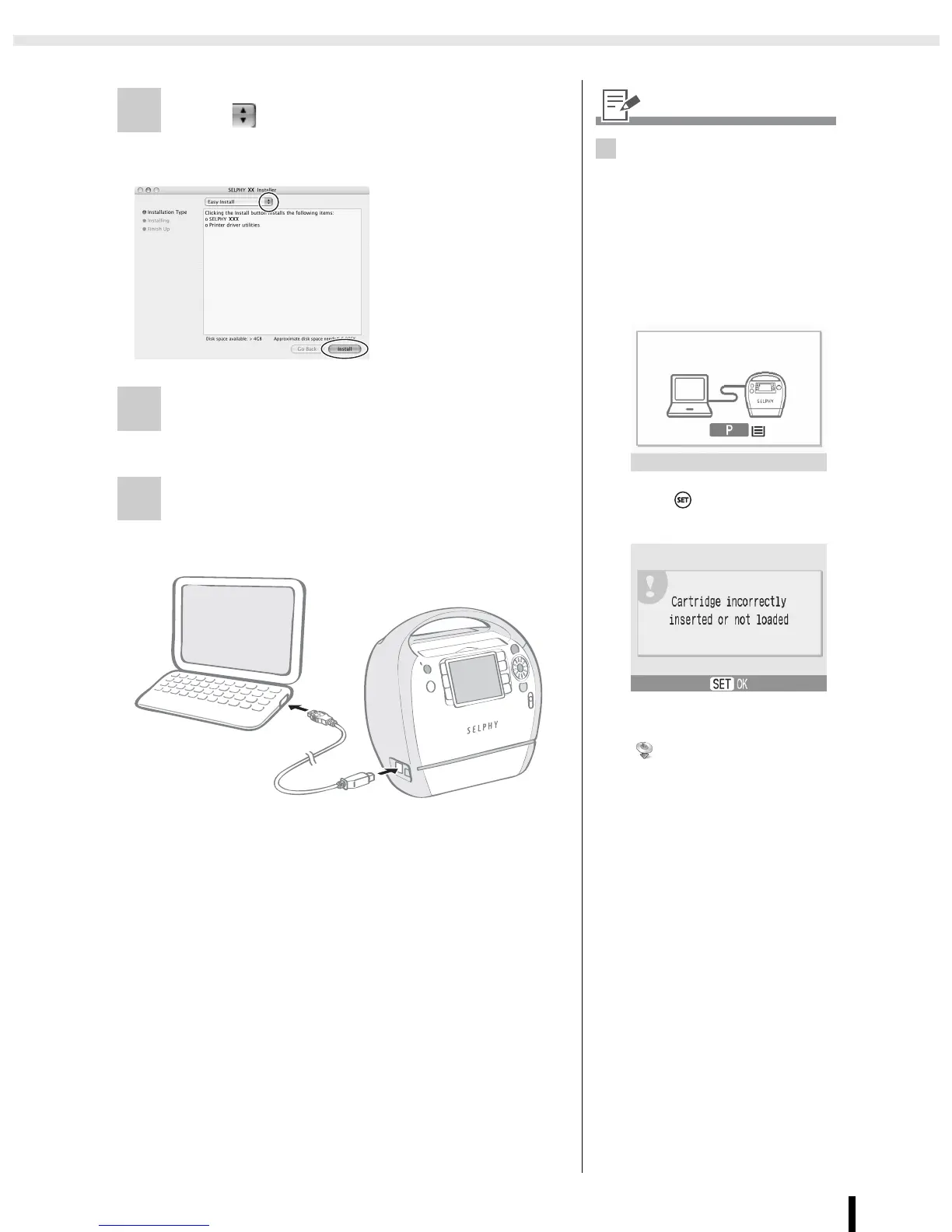
4 Click and select [Easy Install], then
click [Install].
5 Following the instructions on the
screen, then restart your computer.
6 Connect the printer to the computer
and turn the printer on.
• The printer will be registered to the computer.
• Installation starts.
Follow the
onscreen
instructions until a
dialog box
informing you to
restart appears.
6
• When connecting the printer to
the computer, a commercially
available USB cable is required.
The USB cable should be 2.5
meters or less.
• After connecting the printer to
the computer, the PC
connection screen appears on
the LCD monitor.
• Press when the following
screen appears.
• If you wish to uninstall the
printer driver, double-click the
icon in Solution Disk, select
the installer panel, and follow
the onscreen instructions. Next,
delete the printer from the
Printer list.










 To Next Page