53
Printing from Memory Cards
Print Settings
You can set print-related items, such as date on/off, bordered/borderless, or print layout.
How to Use the Menu (Print Settings)
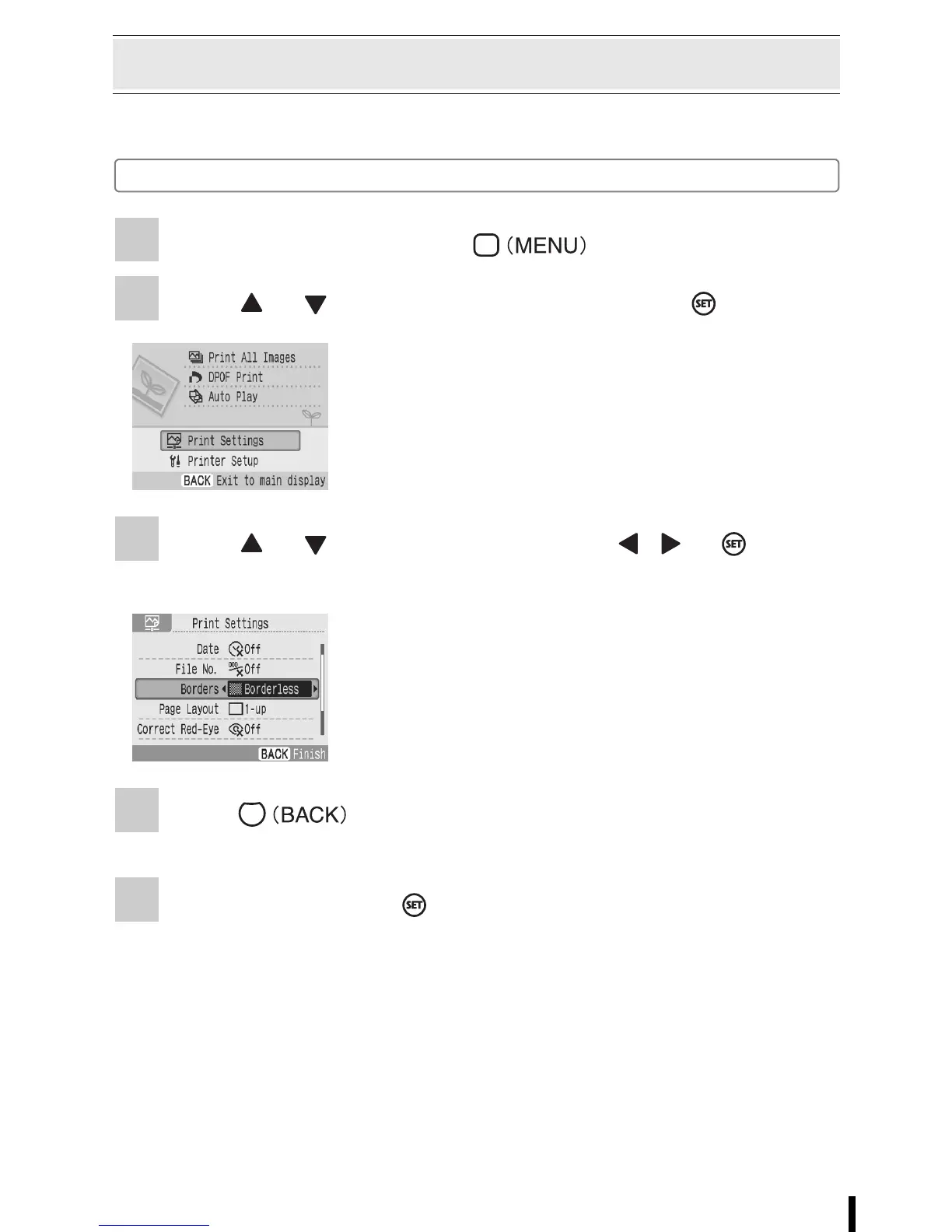
1 Turn the printer on and press .
2 Press or to select [Print Settings] and press .
3 Press or to select an item and press , or to
change the setting value.
4 Press .
• Confirmation screen is displayed if you change the setting value.
5 Select [OK] and press .
• The setting value is saved and the screen returns to the main menu.
• The print setting menu is displayed.
• For the setting of each item, refer to pp. 54 - 57.




 To Next Page