Registering a Stamp
You can create and register a new stamp. You can also change and re-register some of the settings of an
existing stamp. Unnecessary stamps can be deleted at any time.
The procedure for registering a new stamp is as follows:
Registering a New Stamp
1.
Open the printer driver setup window
2.
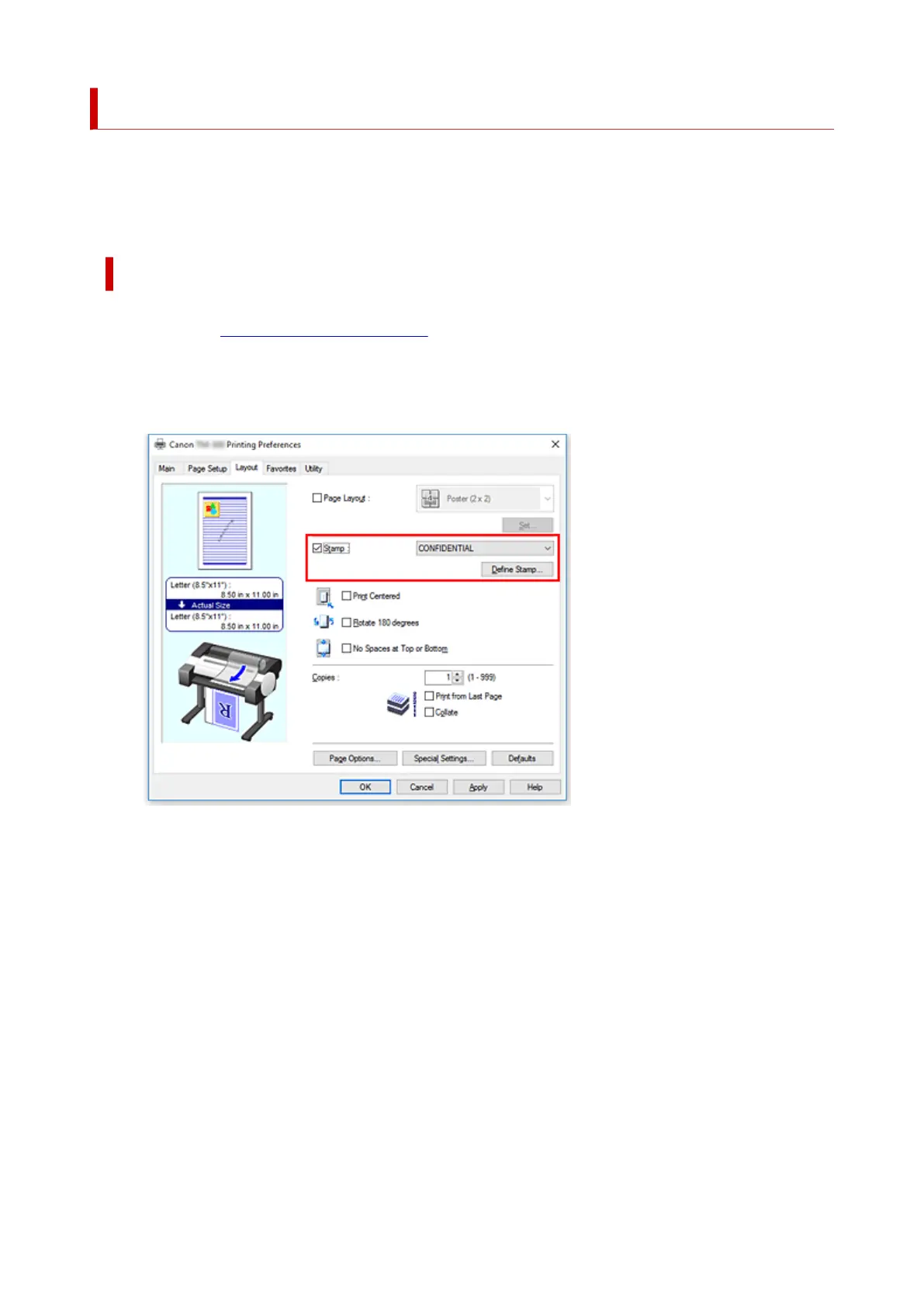
Select stamp
On the Layout tab, select the Stamp check box, and click Define Stamp....
The Define Stamp dialog box opens.
577











 To Next Page