2
Setting Up the Printer
3
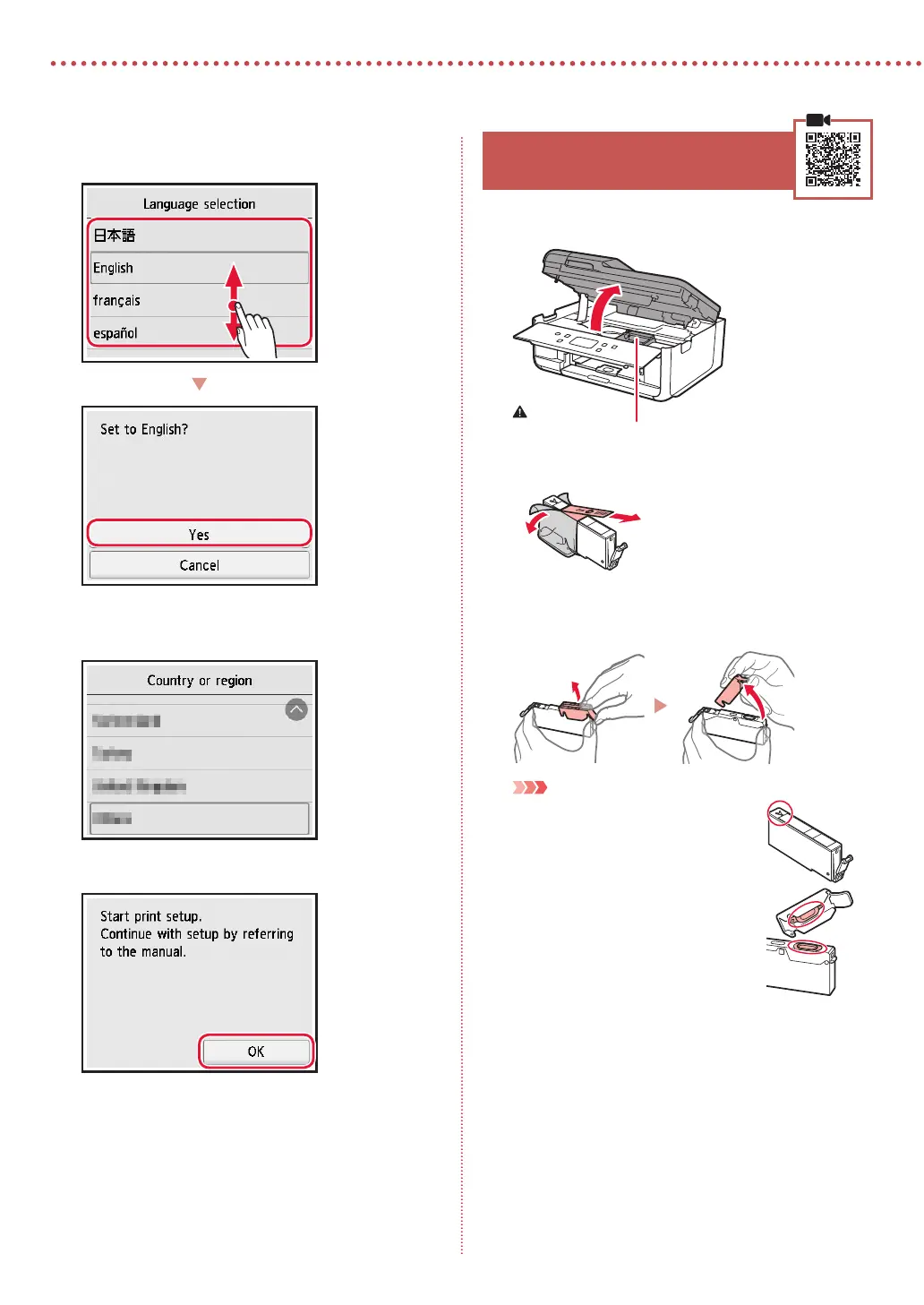
Scroll and tap to select your language, and then
tap Yes.
4
If the following screen appears, tap your country
or region to select.
5
Tap OK.
4. Installing the Ink Tanks
1
Open the scanning unit / cover.
Caution
Do not touch the print head holder until it stops moving.
2
Remove the tape and lm on the ink tank.
a
b
•
Check that no tape or lm is left.
3
Slowly remove the orange cap.
Important
•
Do not squeeze the ink tank with the
Y-shaped air hole blocked.
•
Do not touch the areas shown in red.




 To Next Page