4
Setting Up the Printer
5
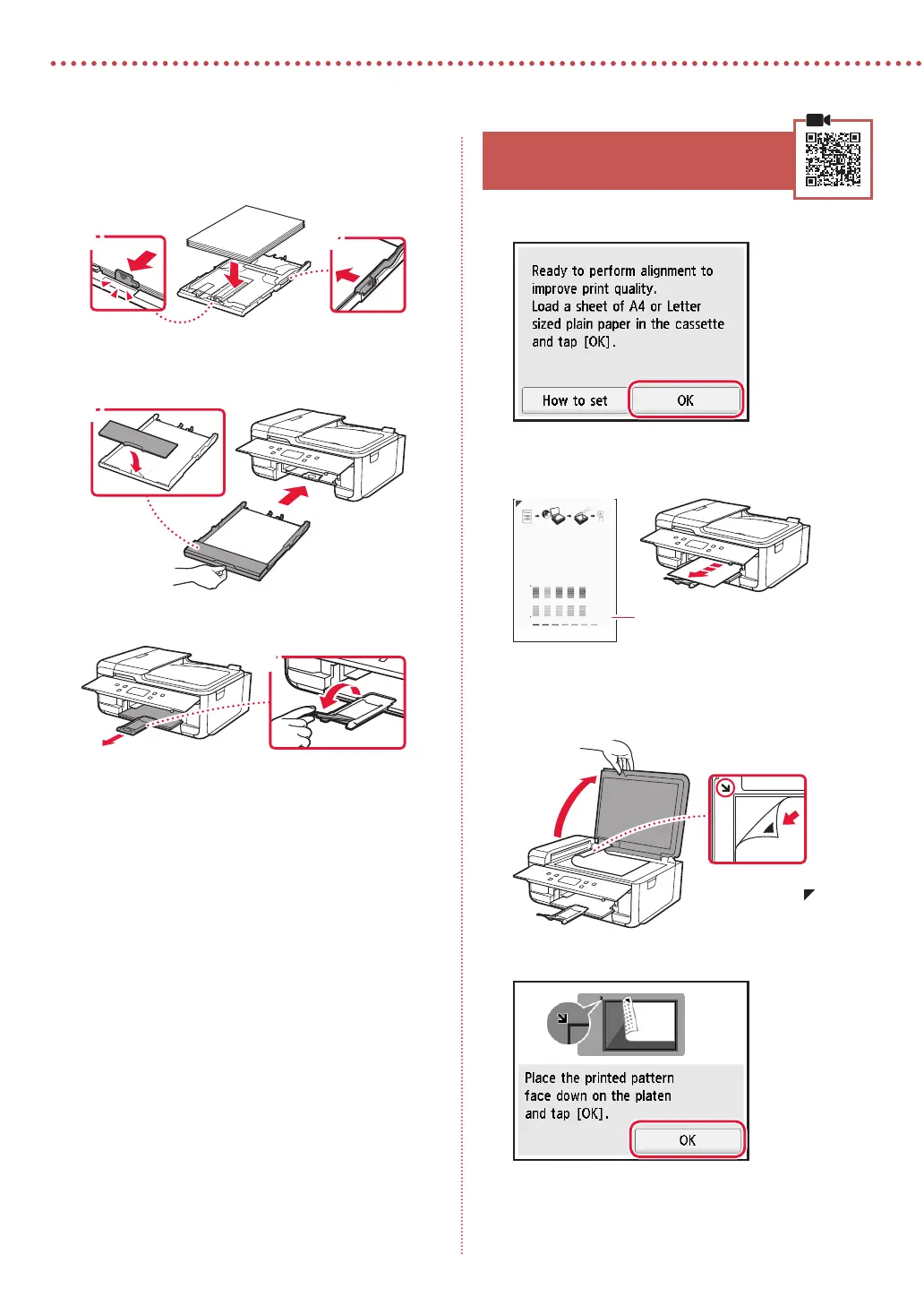
Load Letter sized plain paper.
•
Place the paper against the front paper guide, and
align the right paper guide to the width of the paper.
a b
6
Attach the cassette cover and replace the
cassette.
a
b
7
Pull out the paper output tray.
a
b
6. Aligning Print Head
1
Tap OK.
•
The Print Head Alignment pattern starts printing.
2
Check that the pattern is printed.
Printed Print Head Alignment
pattern
3
Place the pattern on the platen.
•
Open the document cover and place the print side
facing down.
Align the arrow mark on
the device and the
on
the pattern
4
Close the document cover and tap OK.




 To Next Page